
Karpi LMS — a multi-tenant learning platform, built end-to-end
Four applications and a shared NestJS backend — a Super Admin portal, a Client Admin portal, a student web app and a student mobile app — designed, built and operated solo, so any coaching institute can run a fully branded online academy without ever touching a server.
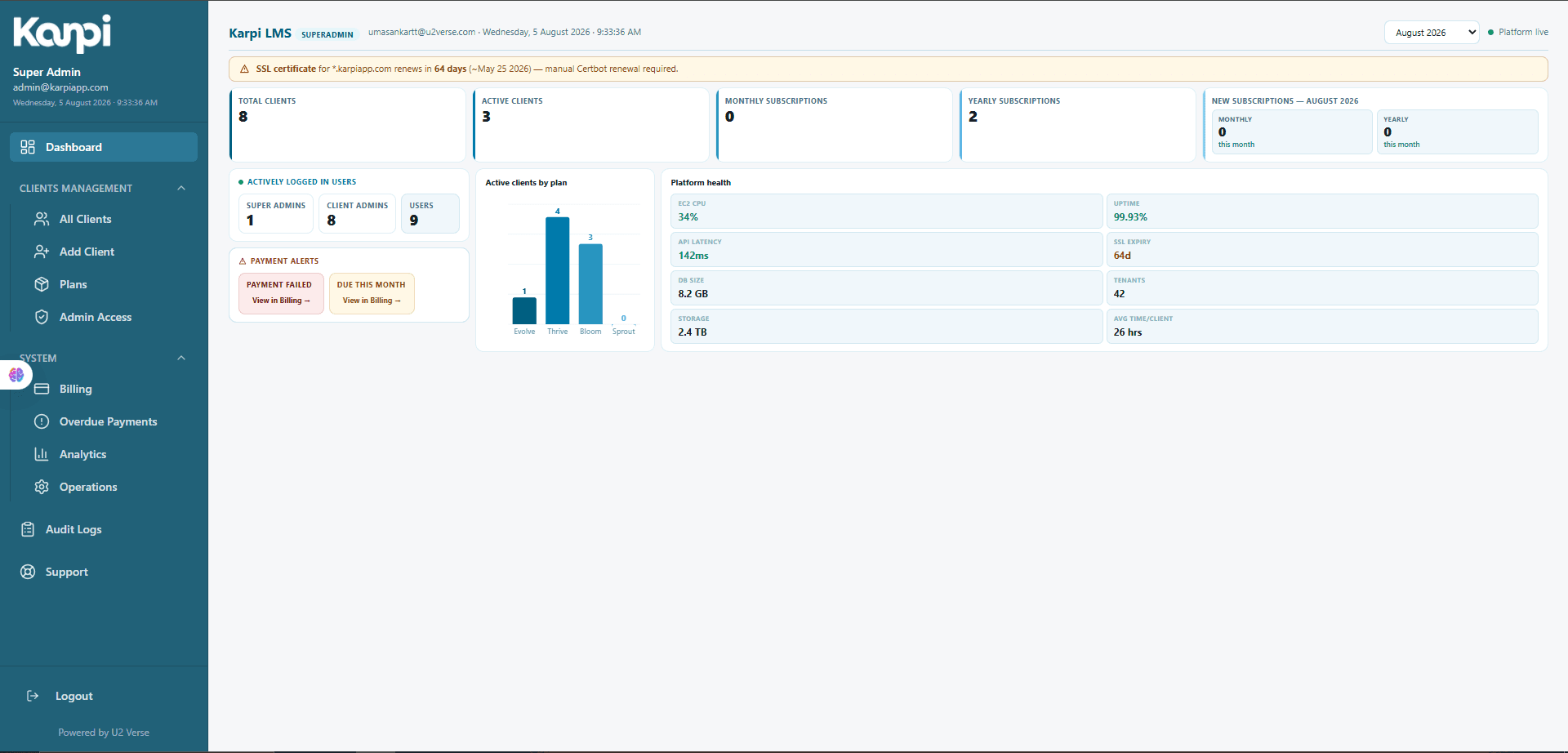
Every academy gets its own LMS. I run the platform underneath all of them.
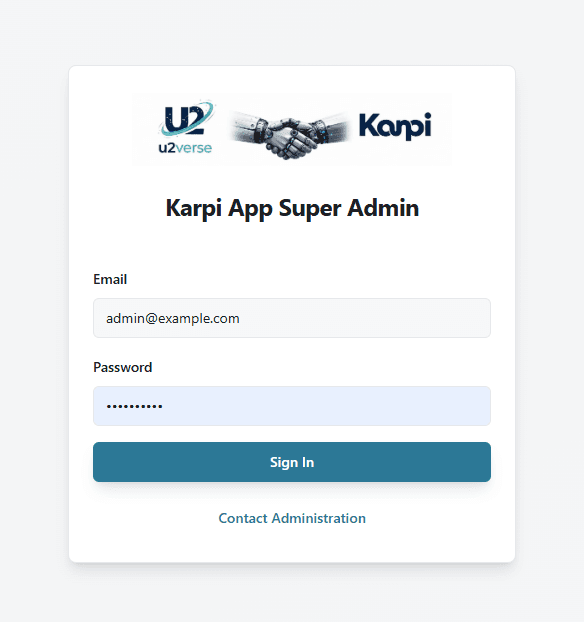
Karpi is a multi-tenant SaaS Learning Management System for coaching institutes and academies — tuition centers, skill-training academies, exam-prep businesses. Each one signs up, gets its own subdomain or custom domain, its own branding and its own admin dashboard, and from that point on everything a student sees — courses, video lessons, chat, payments, certificates — runs on infrastructure I built and operate, shared efficiently across every academy without any of them being aware of each other.
I designed and built the whole thing myself: four applications and the NestJS backend that powers all of them, plus the Docker, CI/CD and AWS infrastructure that deploys them. Every technical claim behind this case study is backed by a 43-section technical brief produced from a direct, line-by-line audit of the platform's own source code — this describes software that is built, deployed and running, not a pitch for an idea.
Coaching institutes need software. They aren't a software company.
The gap Karpi set out to fill, stated plainly.
Not a software company
Coaching institutes need video, payments, mobile and a multi-tenant admin system to sell courses online — but building any of that from scratch is out of reach for a business whose job is teaching.
Generic LMS platforms don't fit
Global platforms are priced and built for large enterprises and Western norms — not for Razorpay-based UPI payments and WhatsApp-based student communication as first-class citizens.
Running a server was never the plan
The moment an academy has to think about hosting, uptime or infrastructure, its job has quietly changed from 'run a great course' to 'run a server.'
One platform, every academy, no cross-talk
The only way to serve many academies economically is to share infrastructure — safely, with zero risk of one tenant ever seeing another's data.
Four applications. One backend. Zero cross-tenant risk.
A clear separation of concerns between the four applications, all sitting on one shared, tenant-isolated backend.
Super Admin Portal
Where I onboard academies, assign plans and monitor the whole platform — client health, billing, support and audit logs — from one back office.
Client Admin Portal
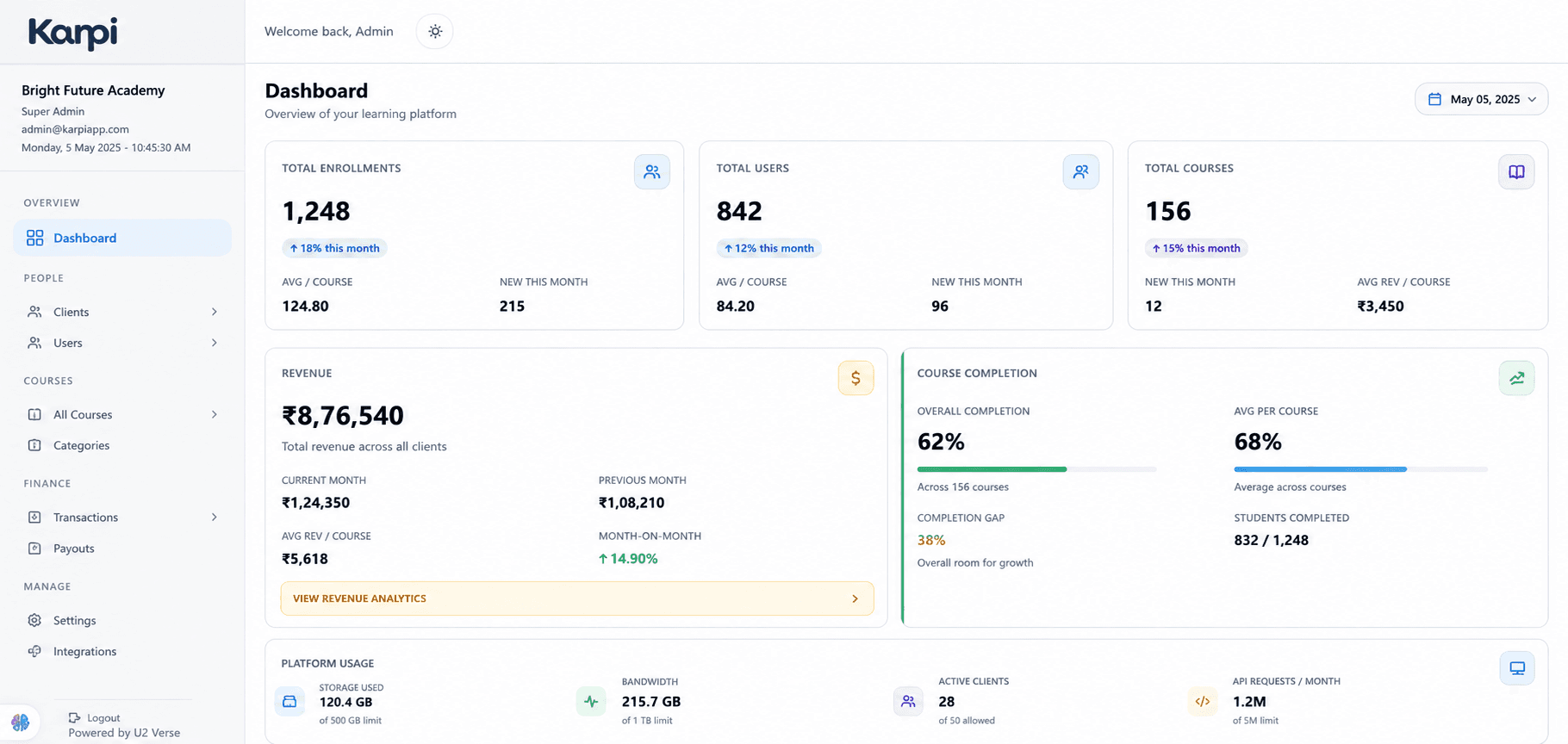
Each academy's own operating system: build a course catalog, admit and manage students, run a white-labeled storefront, chat with students in real time.
Student Web & Mobile
Where the learning happens — video with resume and anti-piracy protection, documents, real-time chat, payments and progress, with genuine web/mobile parity.
One Shared Backend + Database
A single NestJS backend and one PostgreSQL database, with every academy's data walled off from every other's by database-enforced Row-Level Security.
From signup to a monitored, billed platform.
Every arrow below is real, working software — not a diagram of an intention.
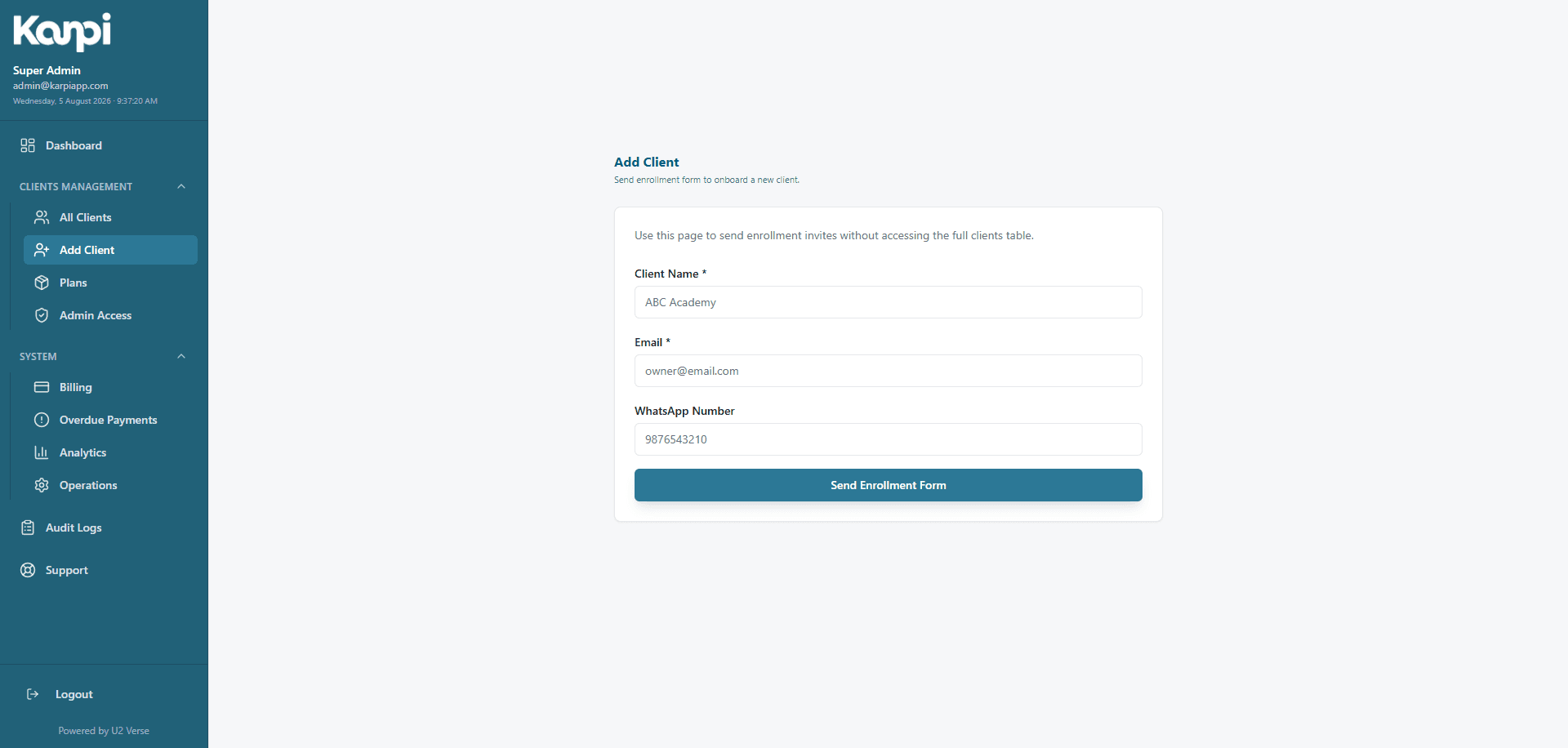
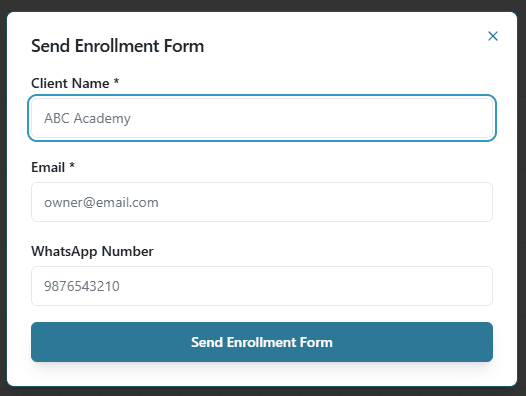
I onboard a new academy
Assign a subscription plan; branding, settings, usage counters and a public landing page are provisioned automatically the moment it's created.
The academy builds its course catalog
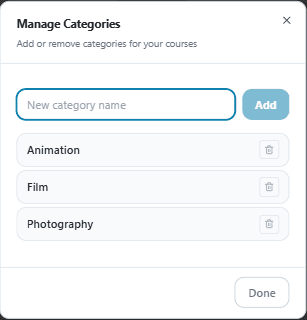
Categories, modules and lessons, plus a white-labeled public storefront — logo, colors, testimonials — with no code required.
A student discovers, signs up, pays
A genuine Razorpay checkout, not a stub — tenant-scoped self-service enrollment from an admission link.
The student learns
Video lessons with resume position and anti-piracy protection, documents, real-time chat with instructors, progress tracking.
Usage & revenue roll up automatically
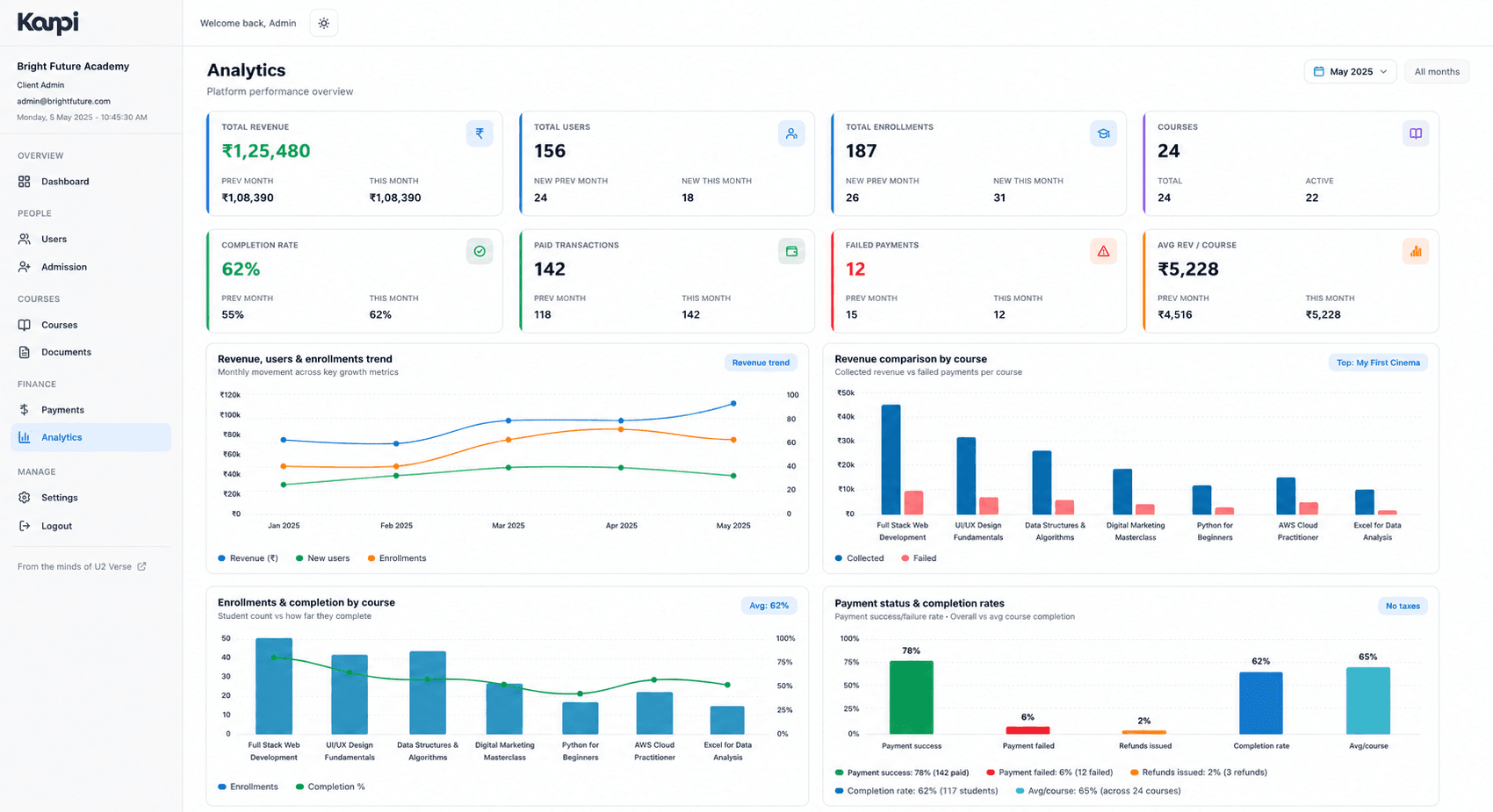
Every payment, enrollment and completion event feeds the aggregate dashboards both the academy and I actually use.
I monitor the whole platform
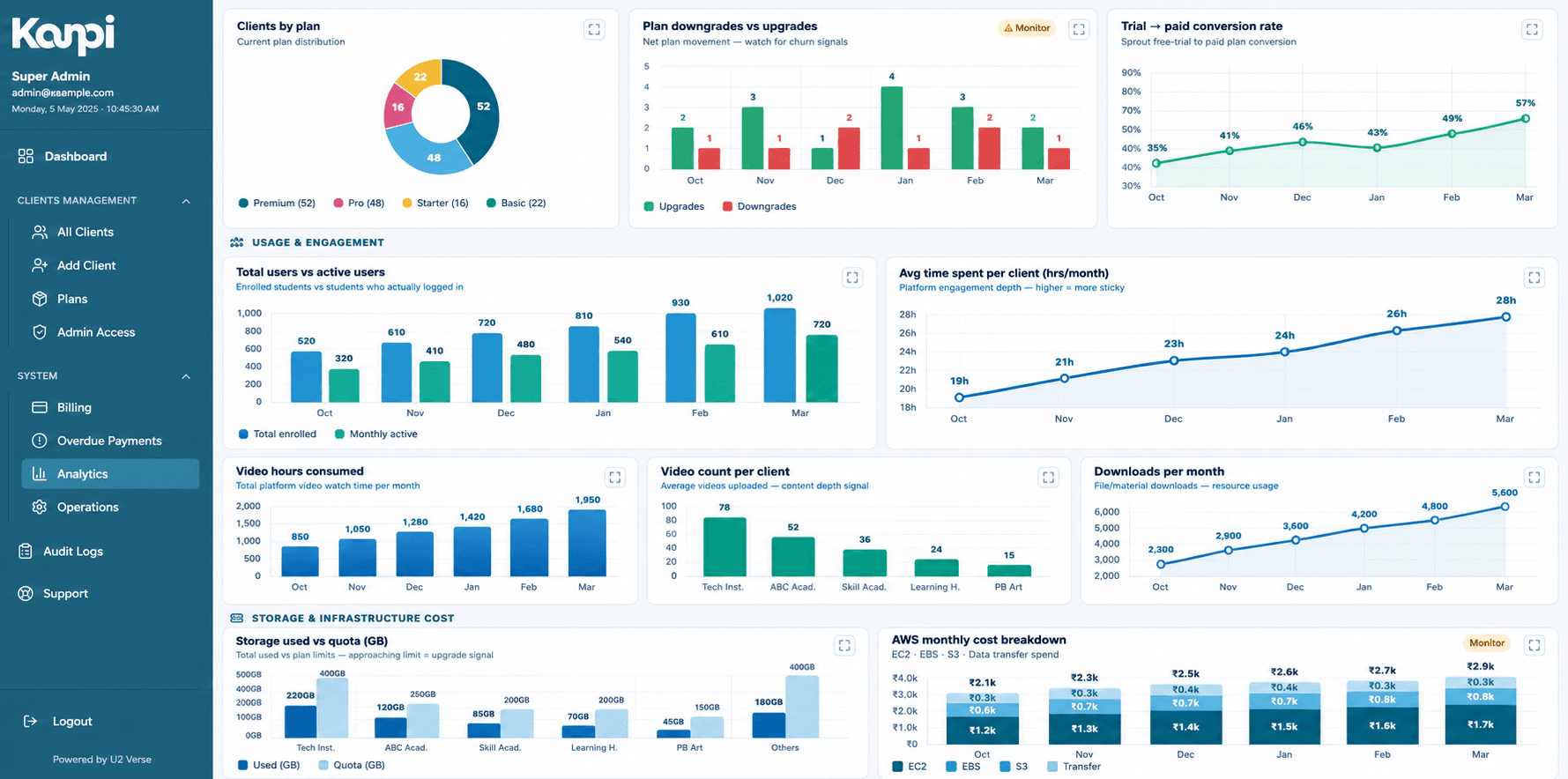
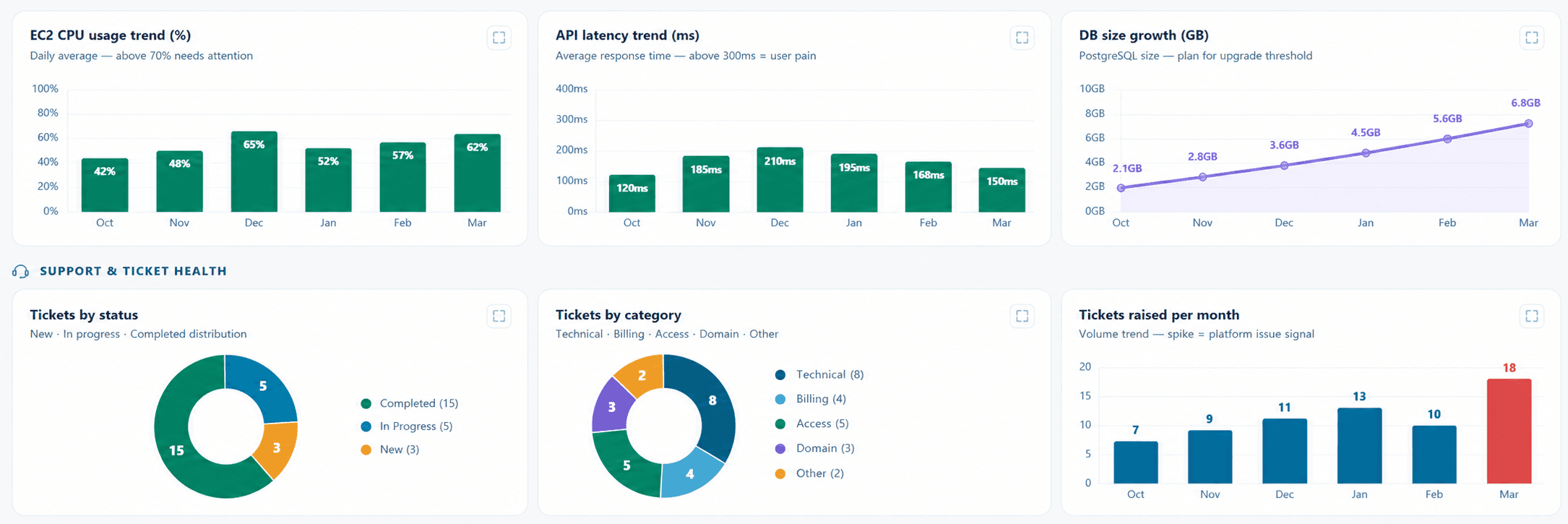
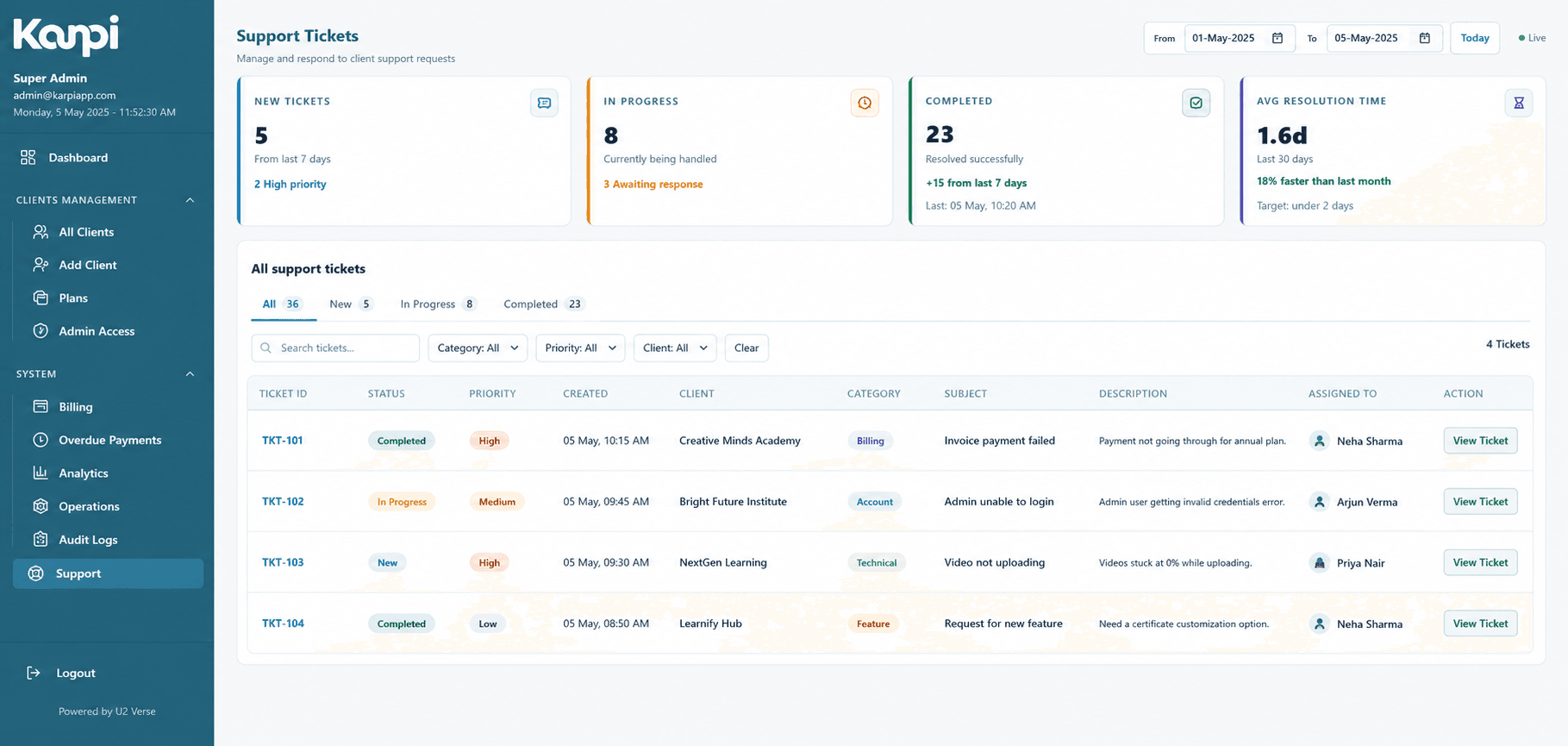
One back office view across every tenant on the platform — health, billing status, support tickets and audit logs.
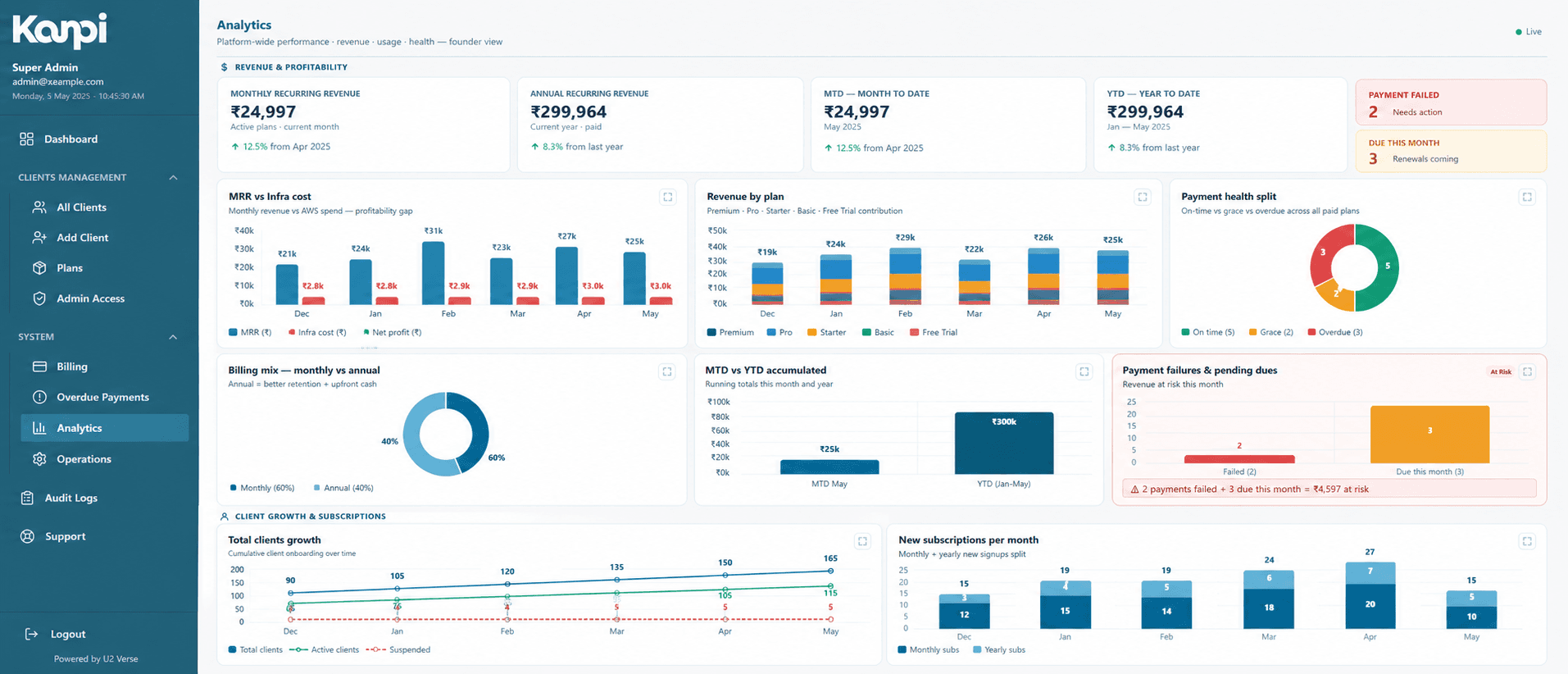
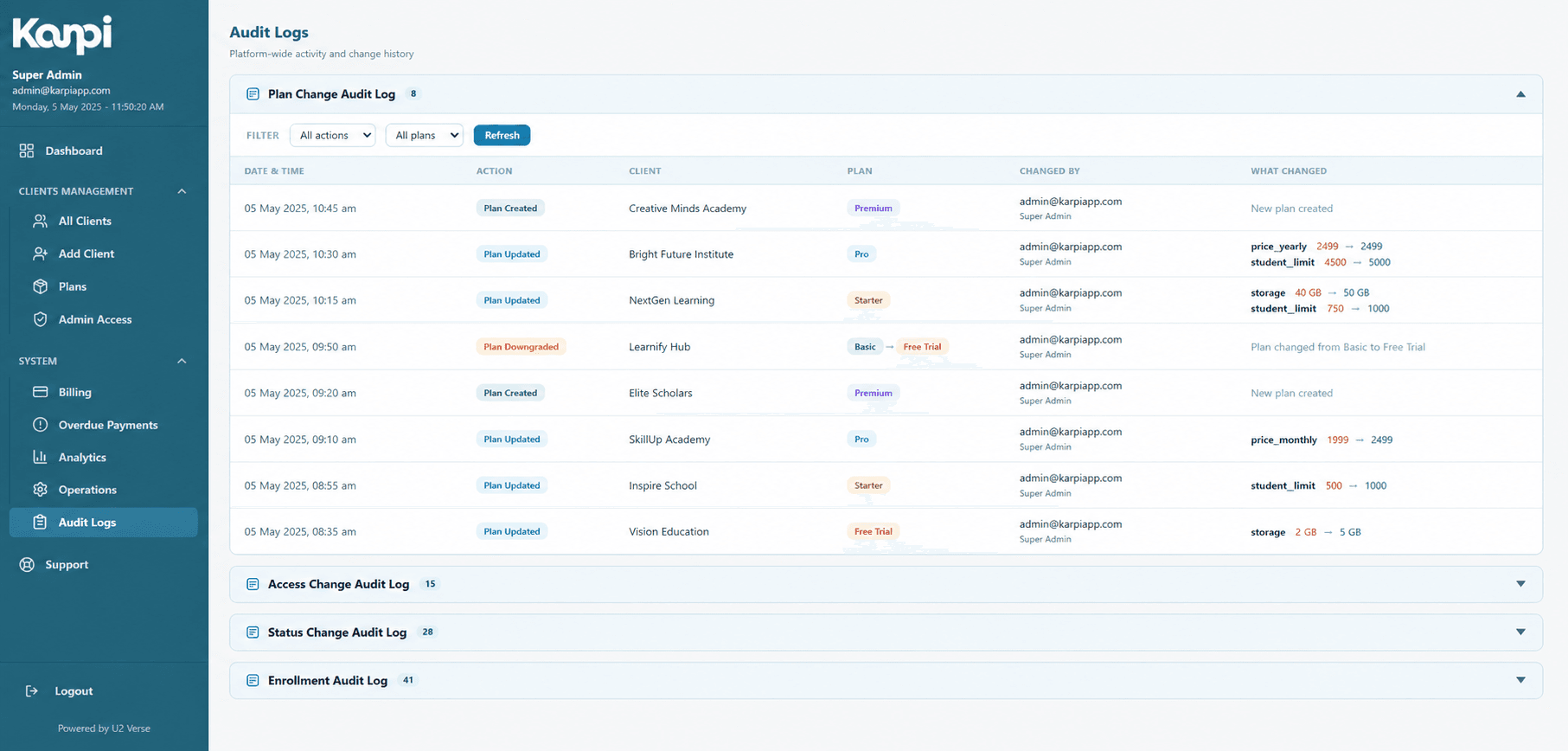
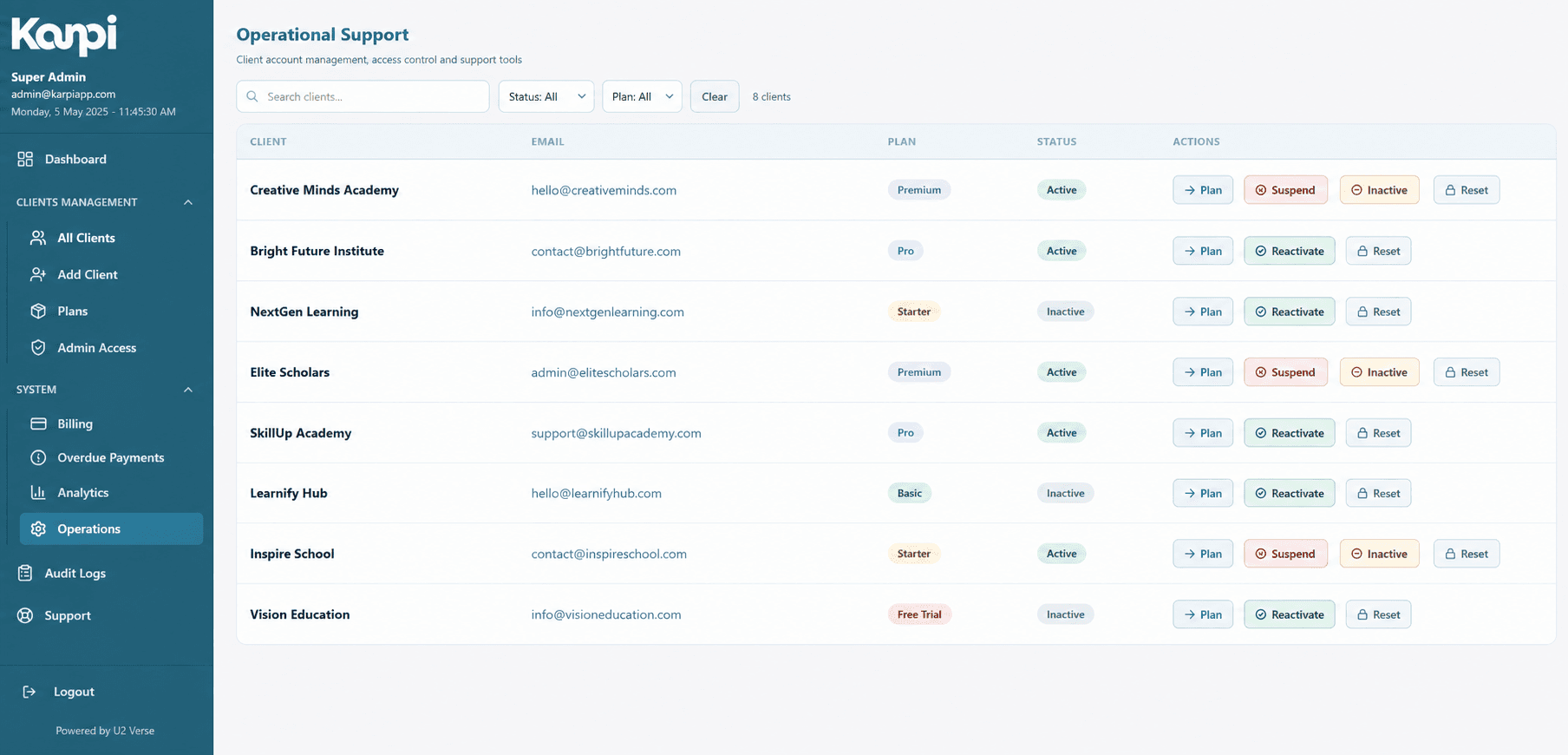
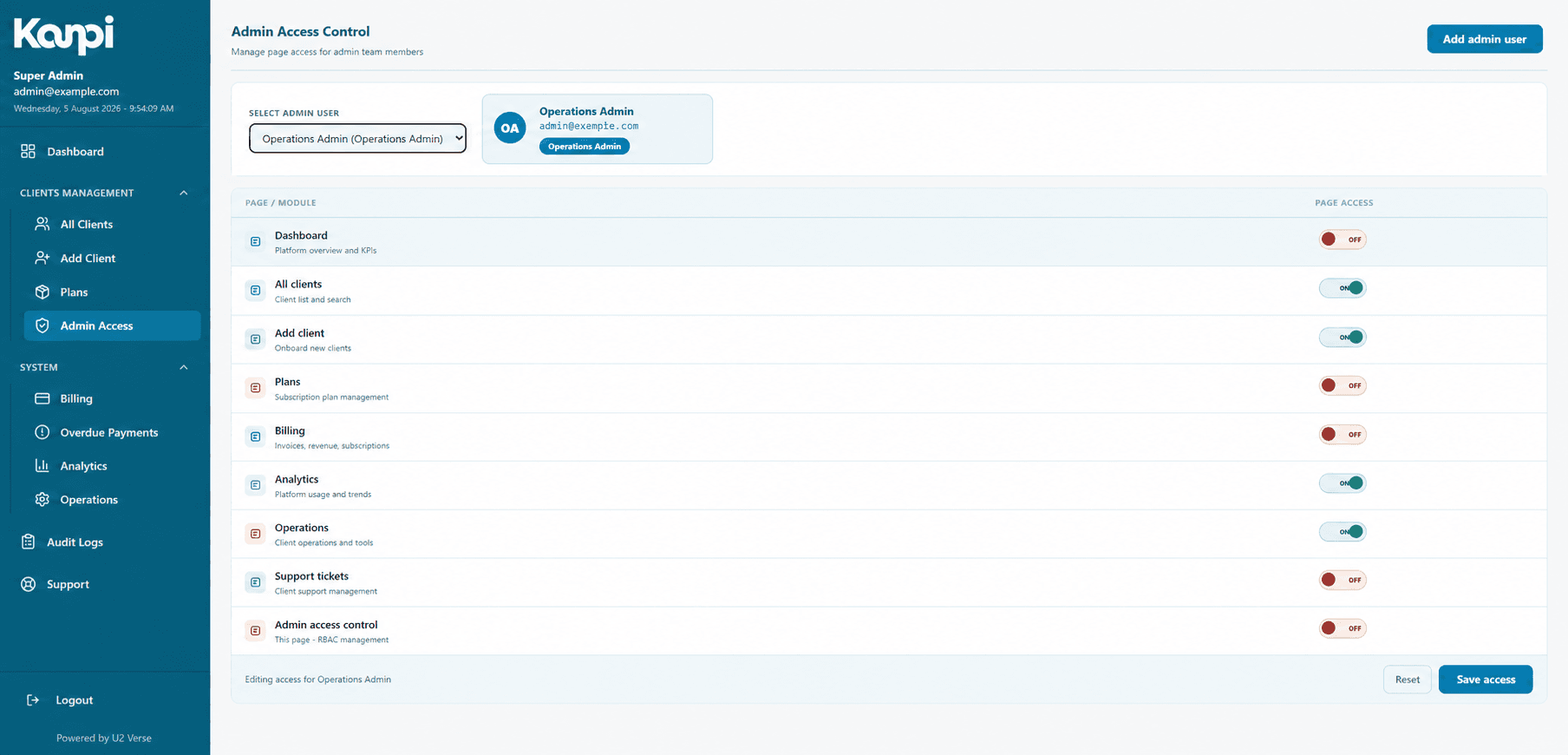
My back office — every academy, from one dashboard.
Onboarding, plans, billing, analytics, audit logs and support, for the whole platform.
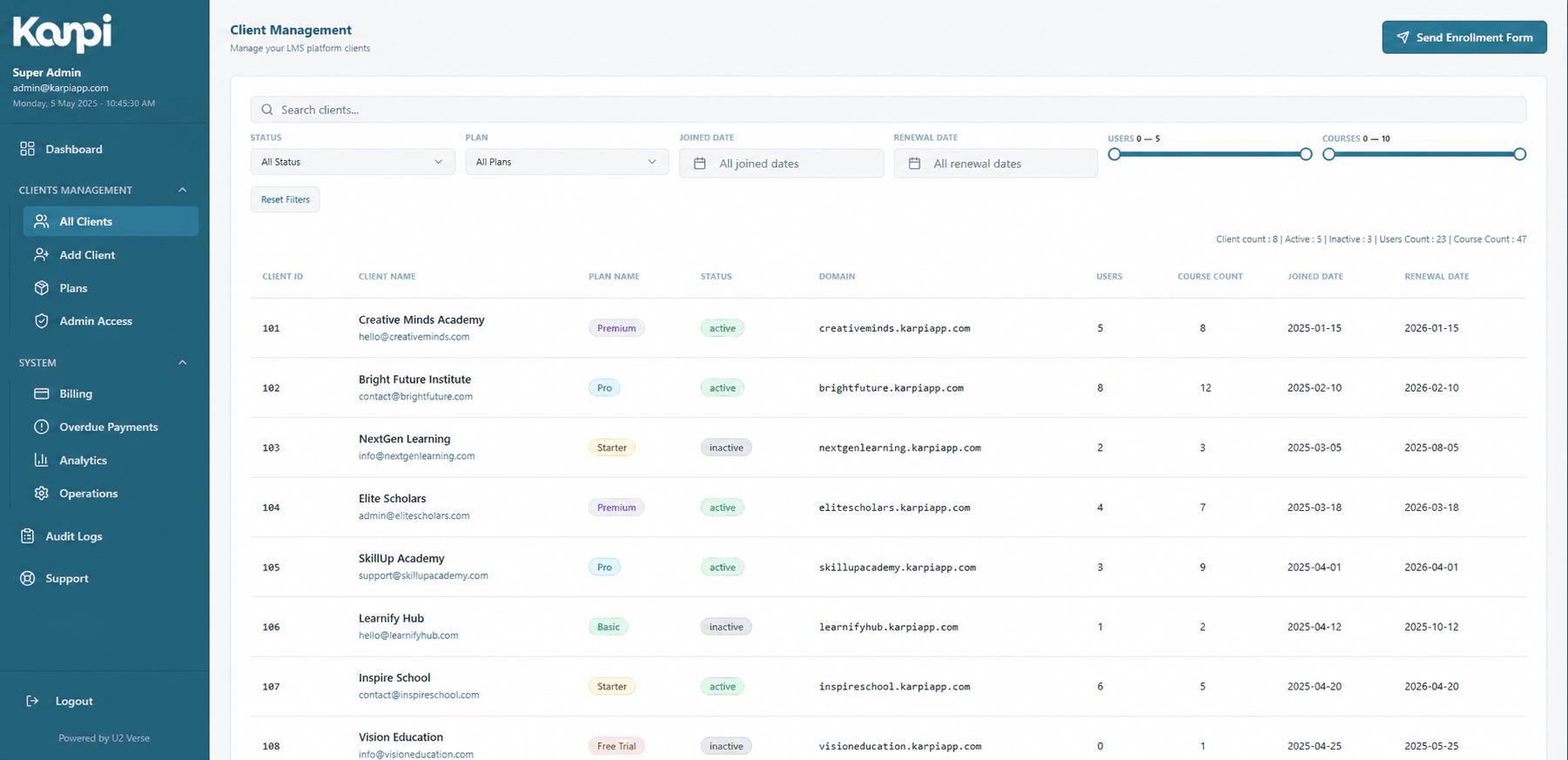
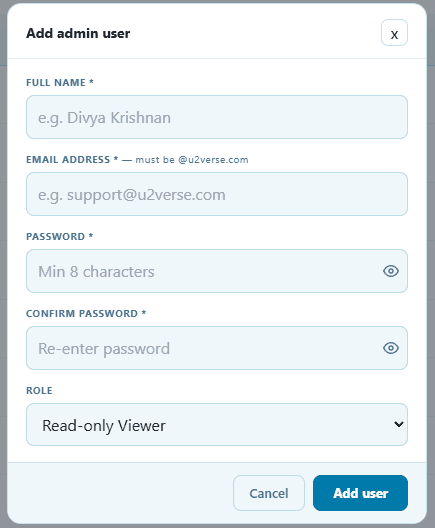
Client fleet management
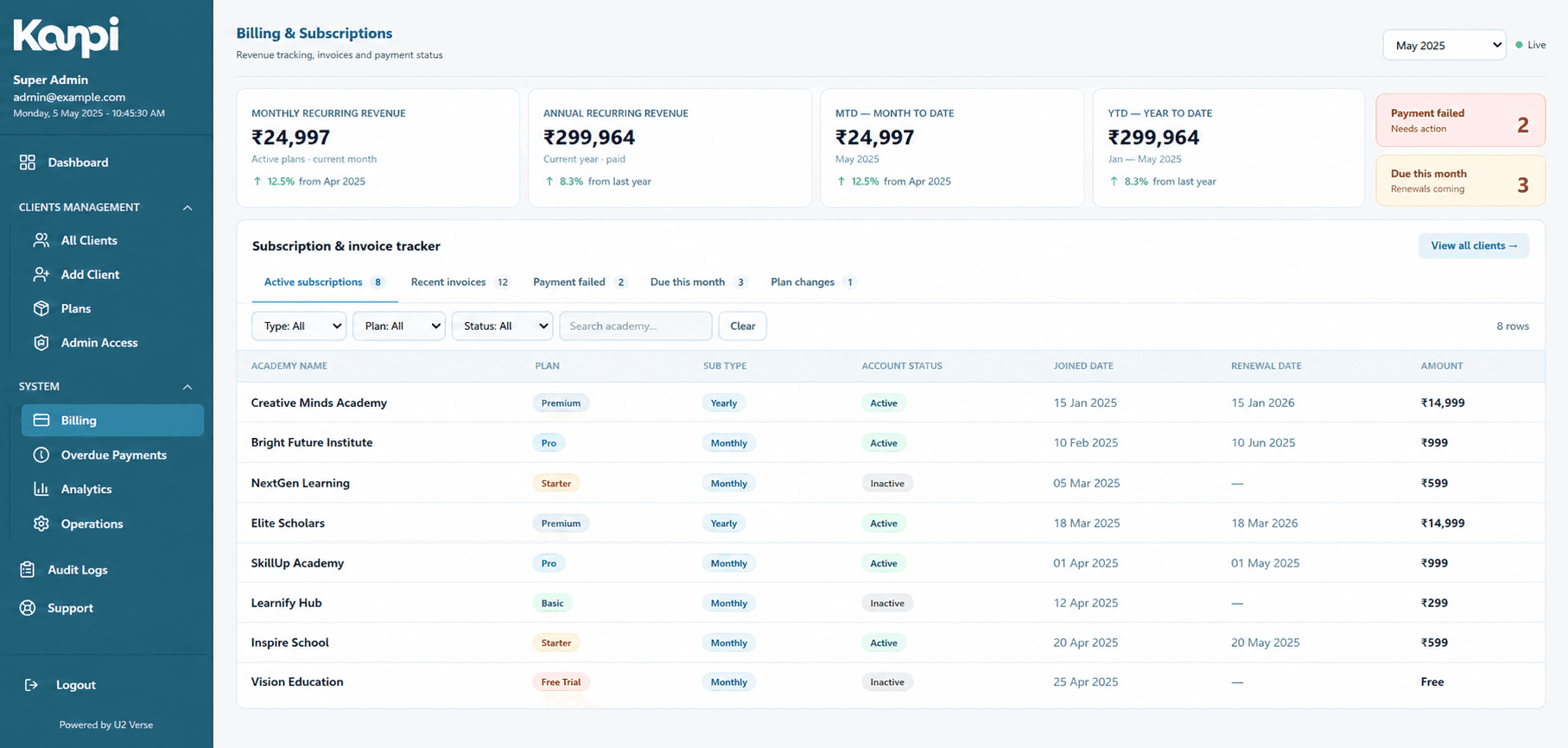
Onboard academies, and track plan, status and billing health across the whole fleet from one directory.
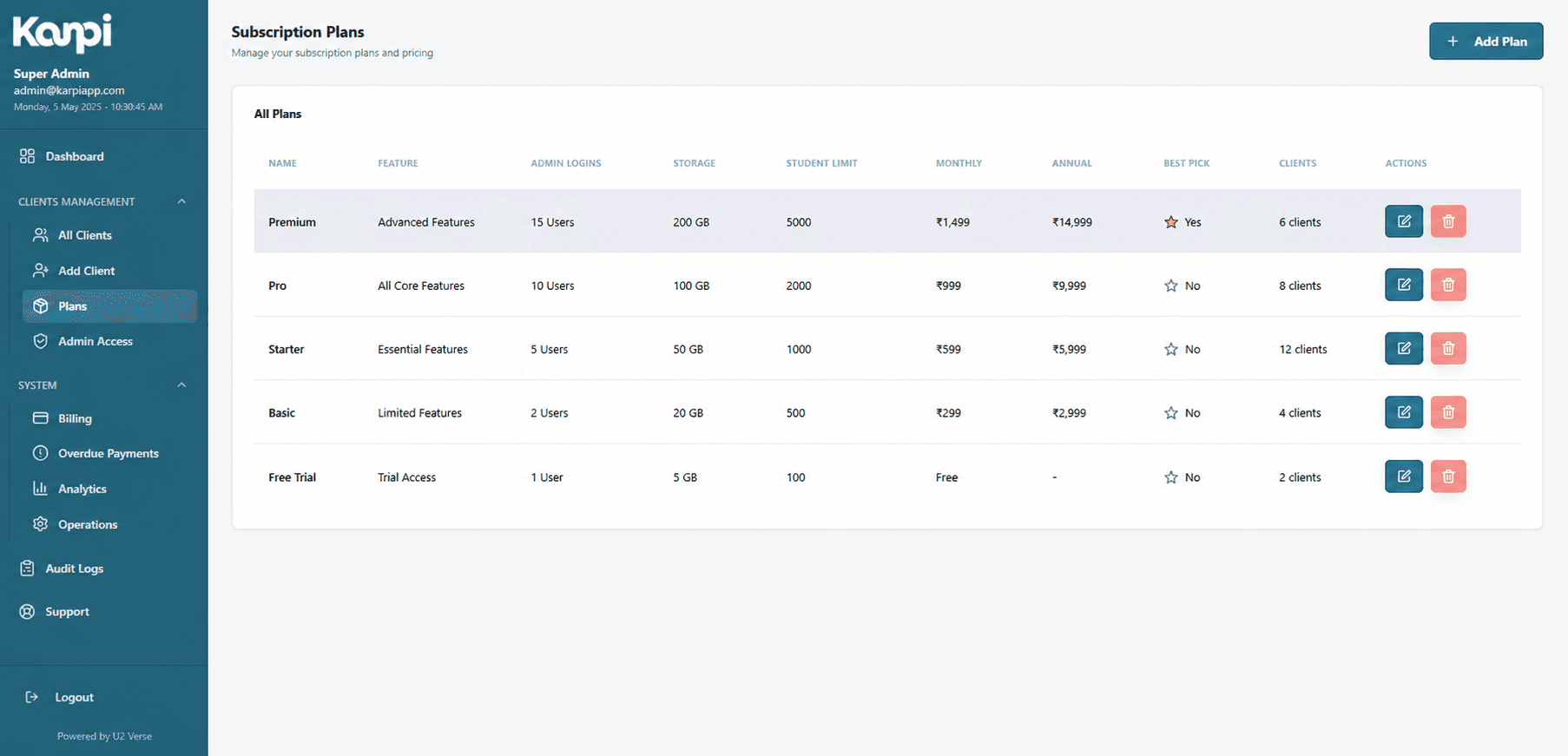
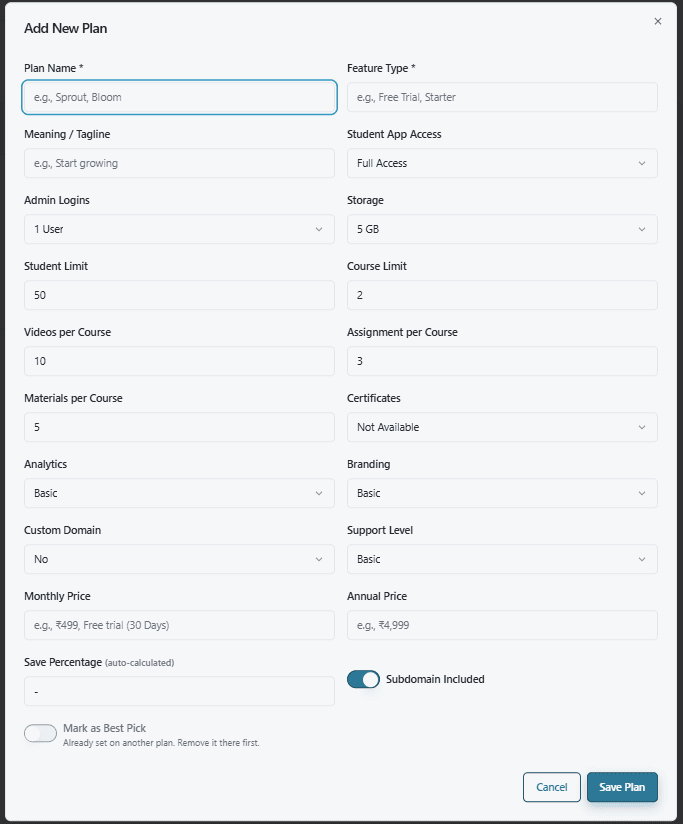
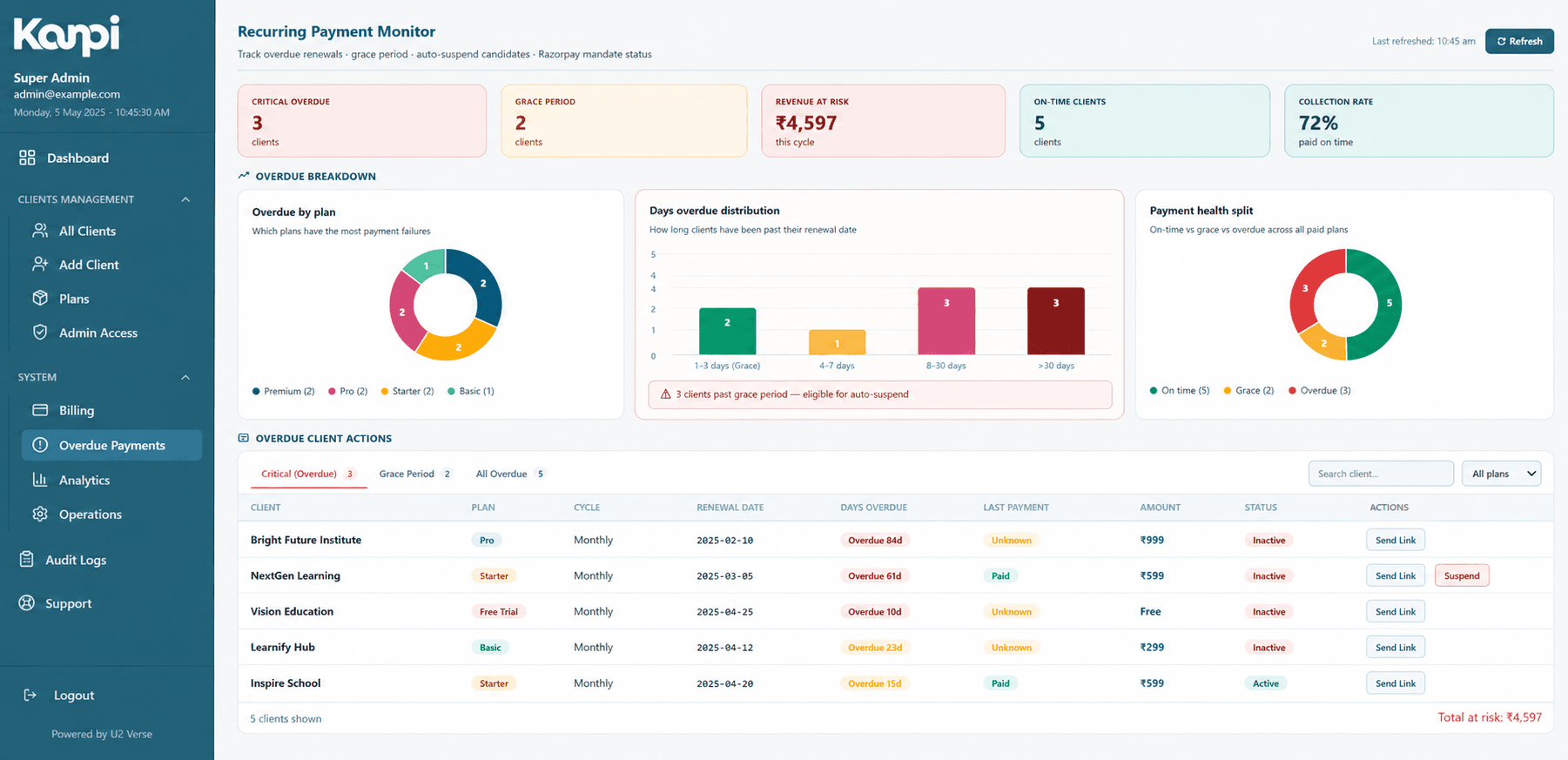
Billing & plans
A tiered plan catalog with per-plan limits, overdue-payment tracking and a scheduled deactivation job for lapsed subscriptions.
Audit-logged everything
Every plan change, permission change and status transition is independently logged, not just implied.
Fine-grained admin RBAC
Sub-roles — billing, support, operations, read-only — each seeing only the back-office pages relevant to them.
Every academy's own operating system.
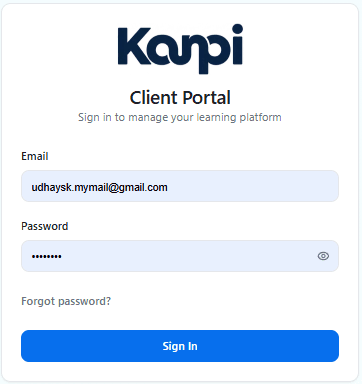
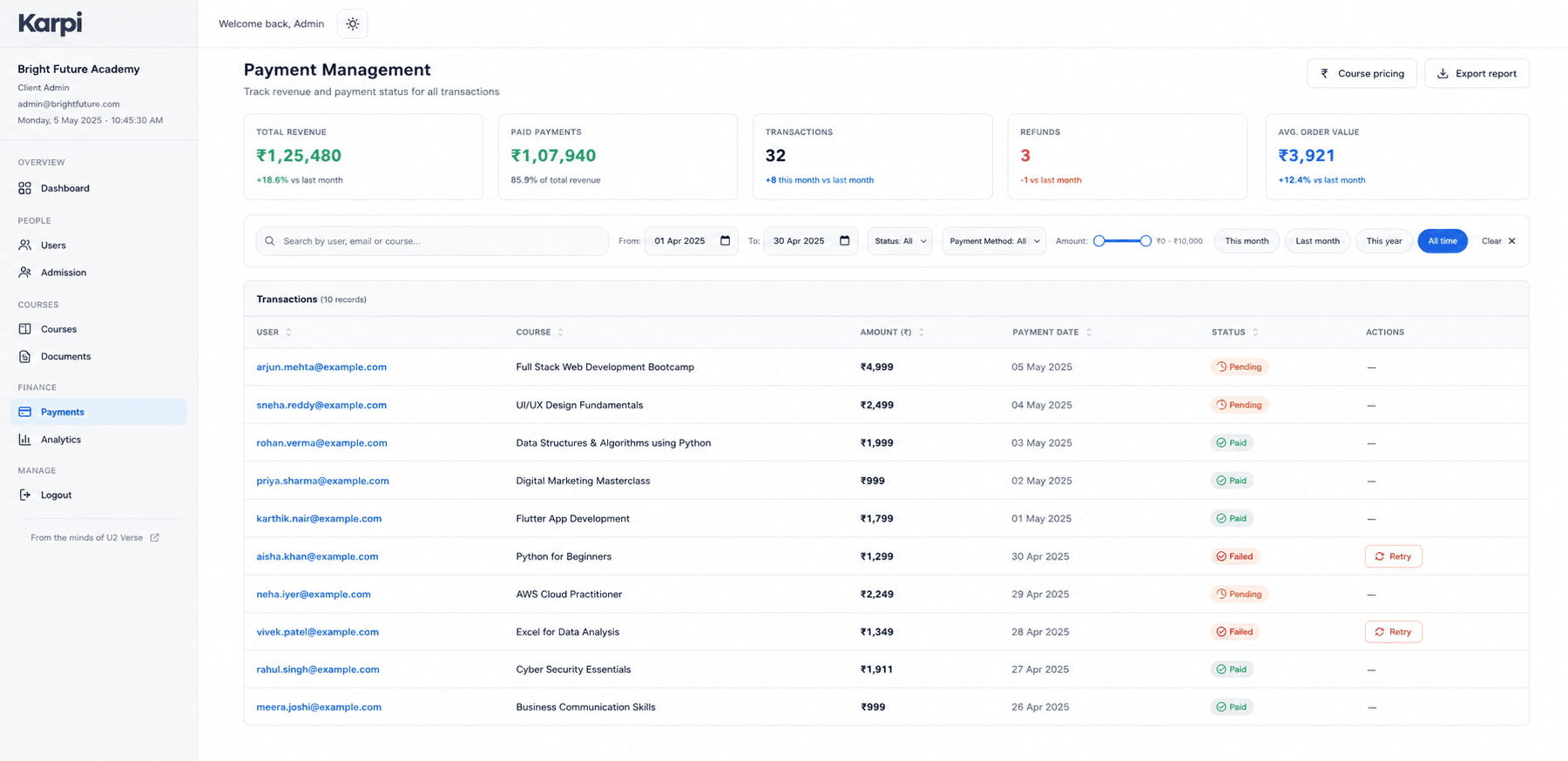
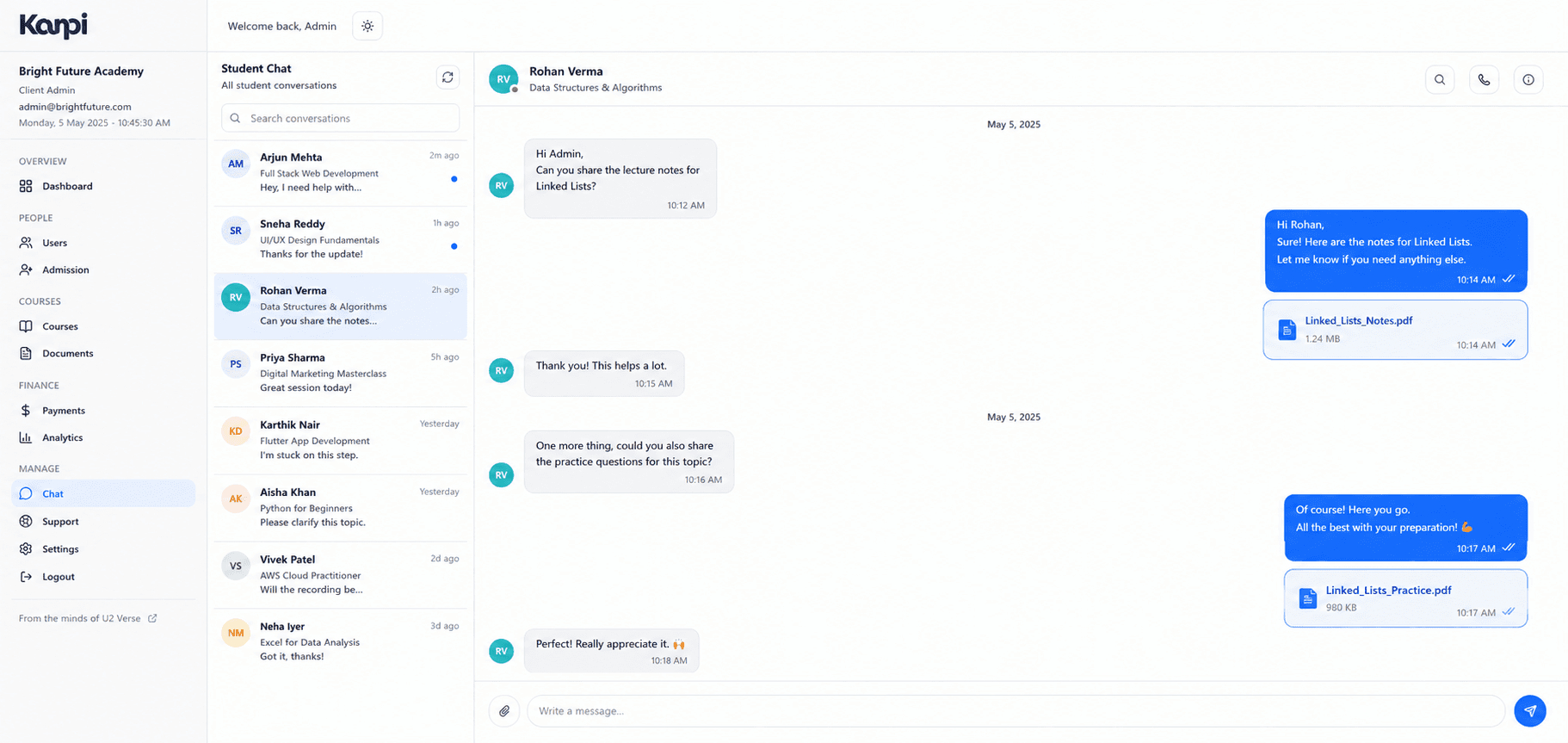
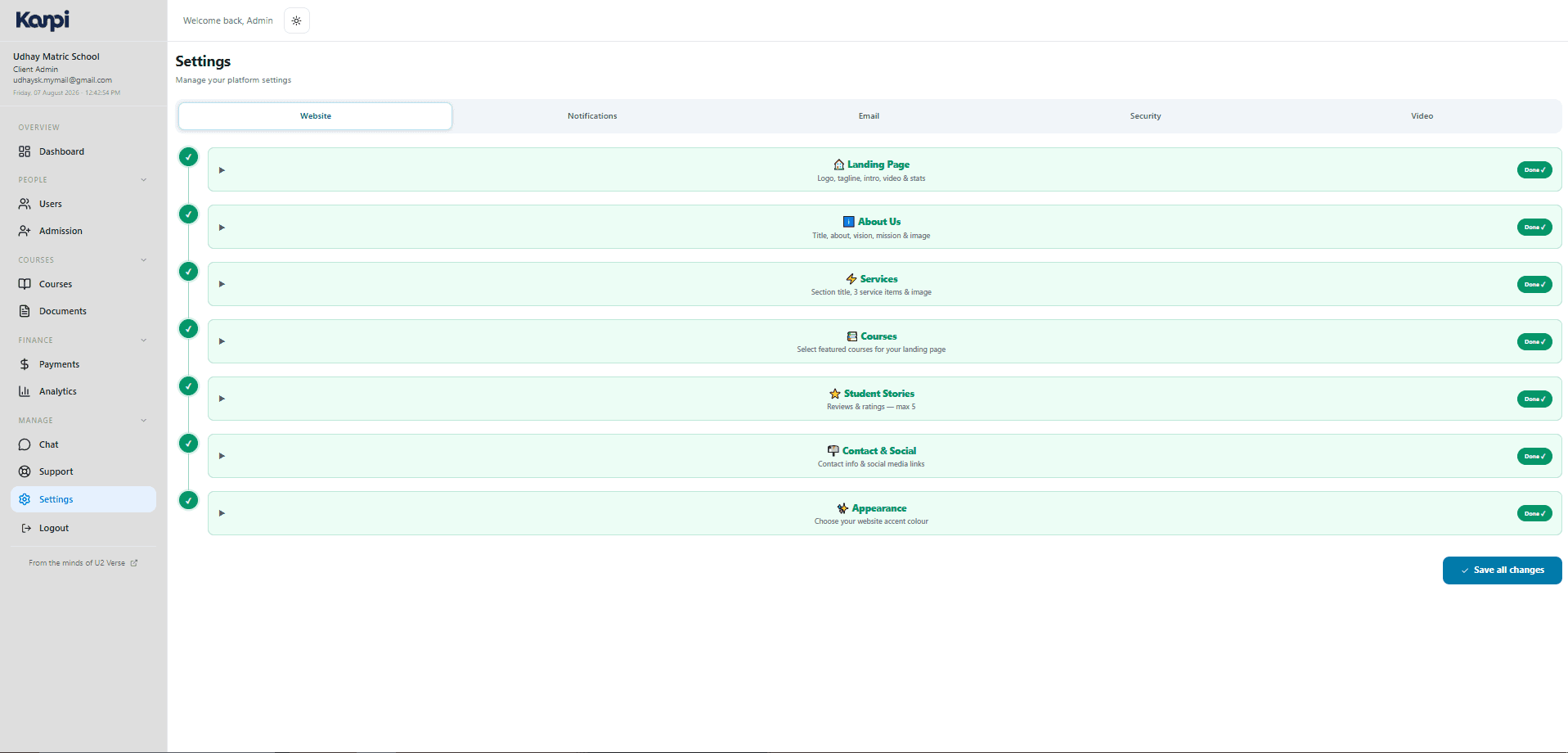
Course building, admissions, payments, chat and a white-label storefront — run by the academy's own staff.
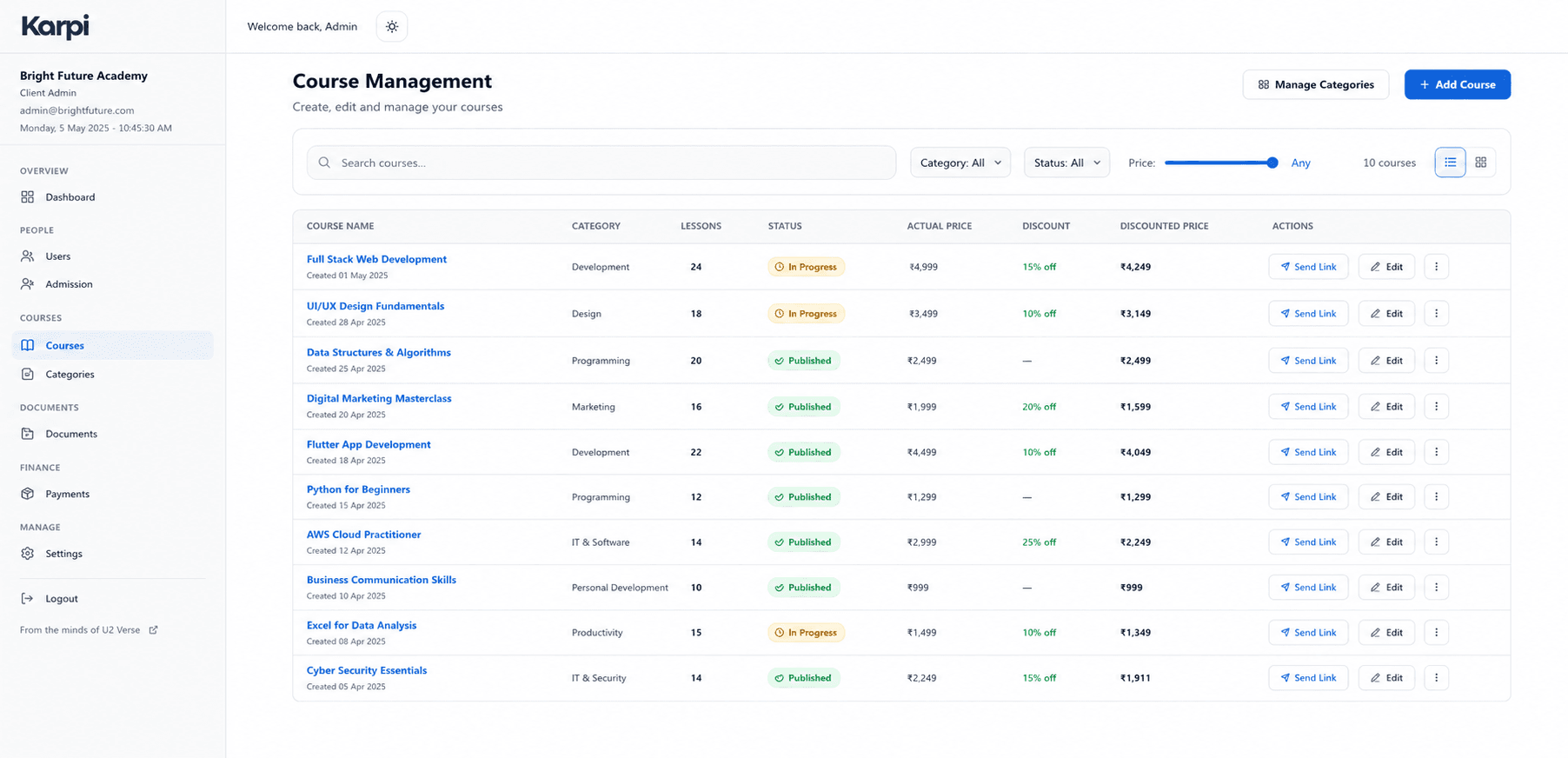
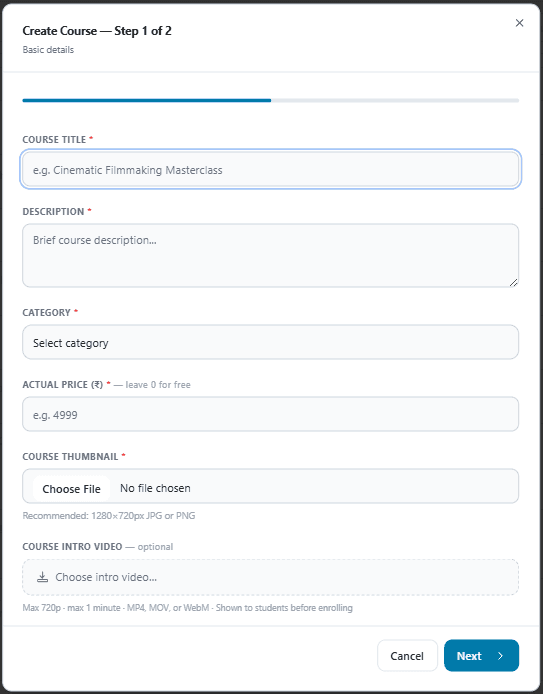
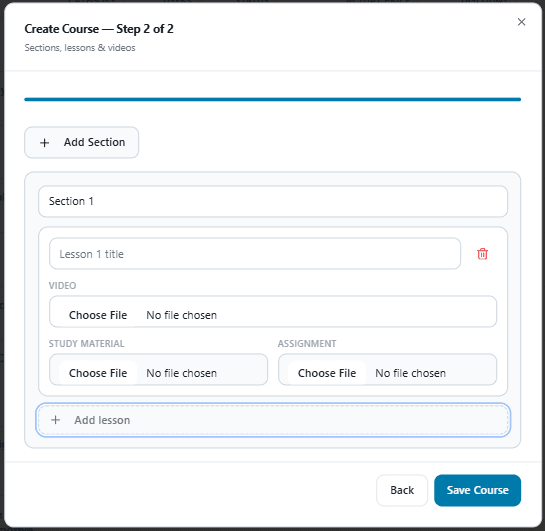
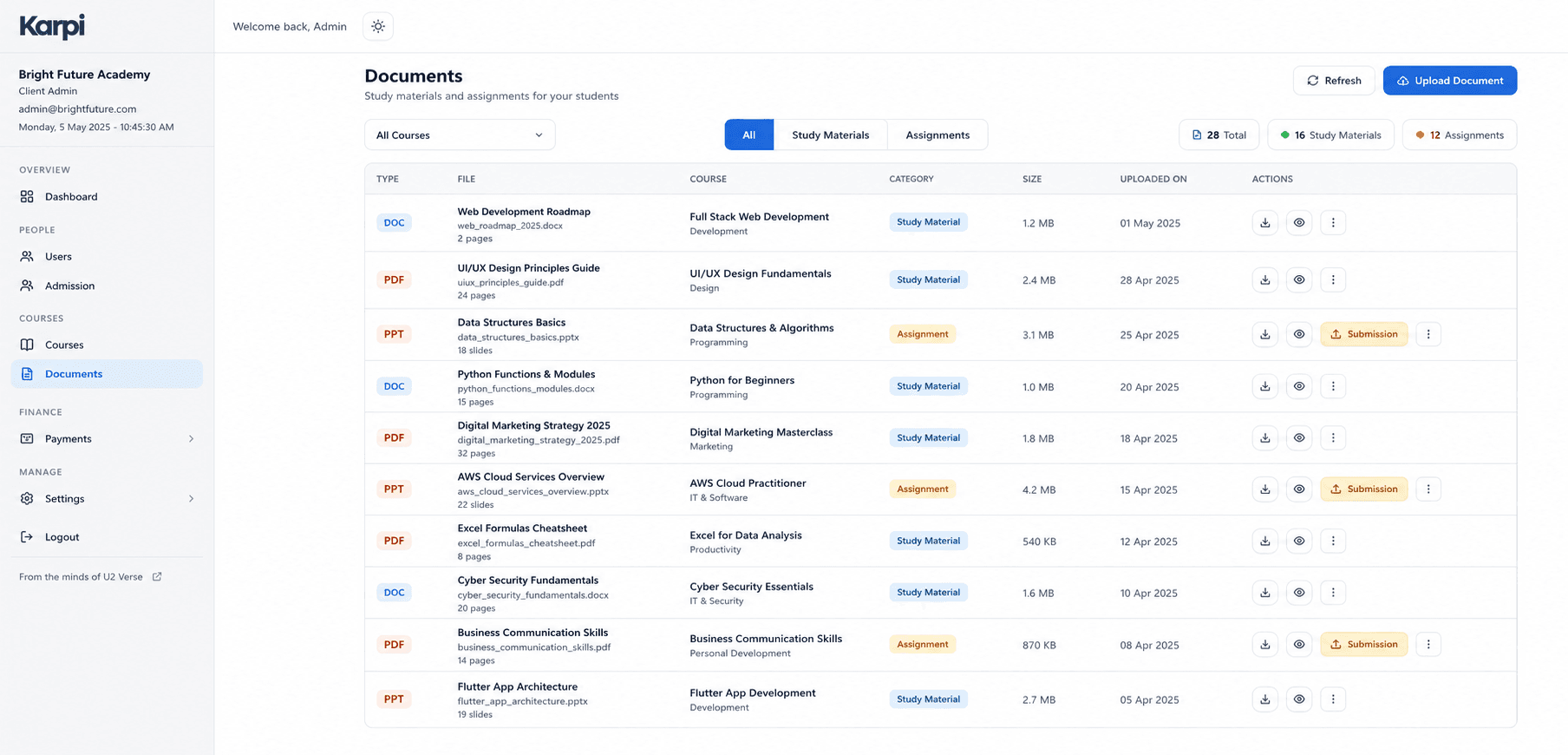
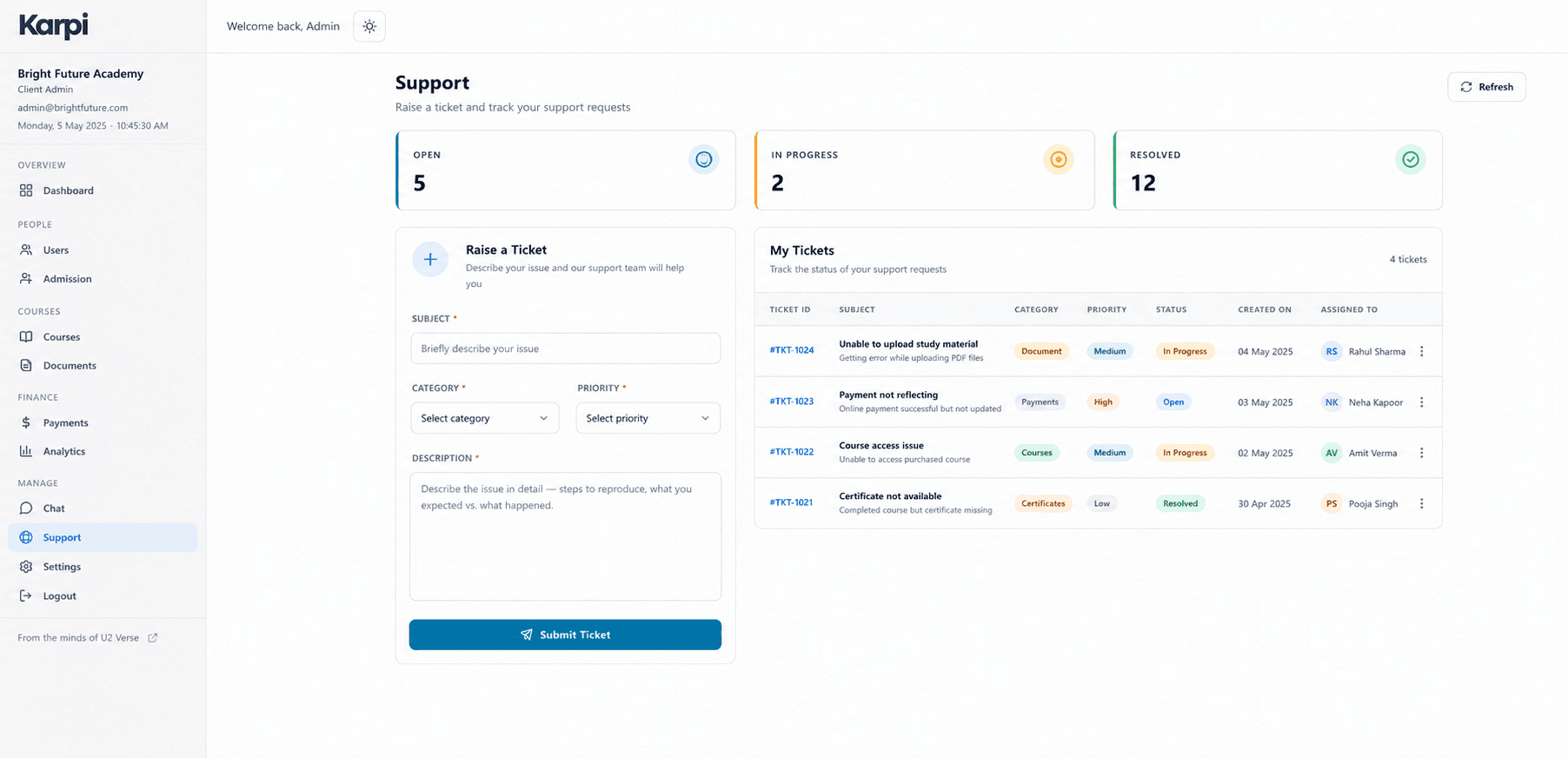
Drag-and-drop course builder
Categories → modules → lessons, with resumable video upload direct to the CDN.
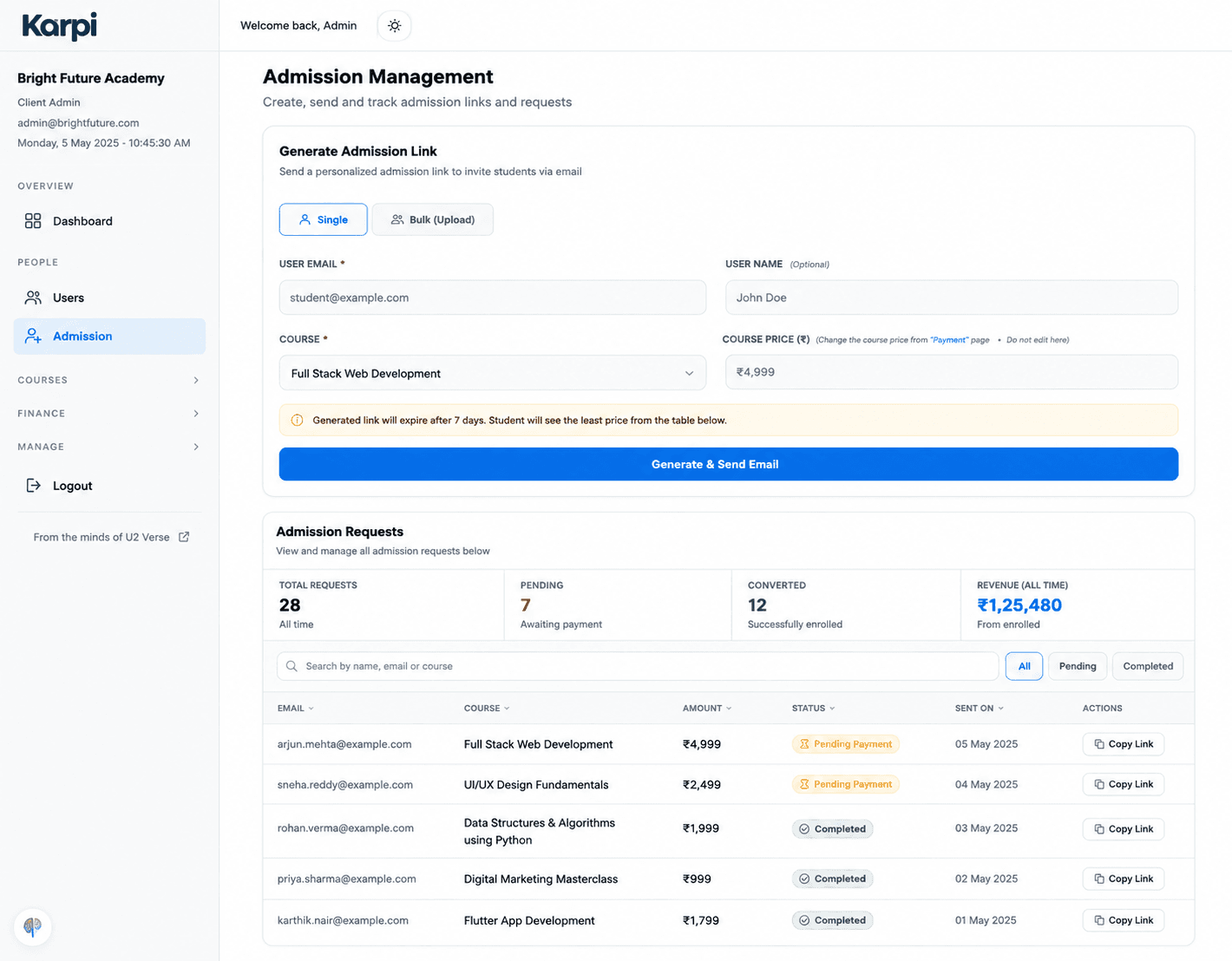
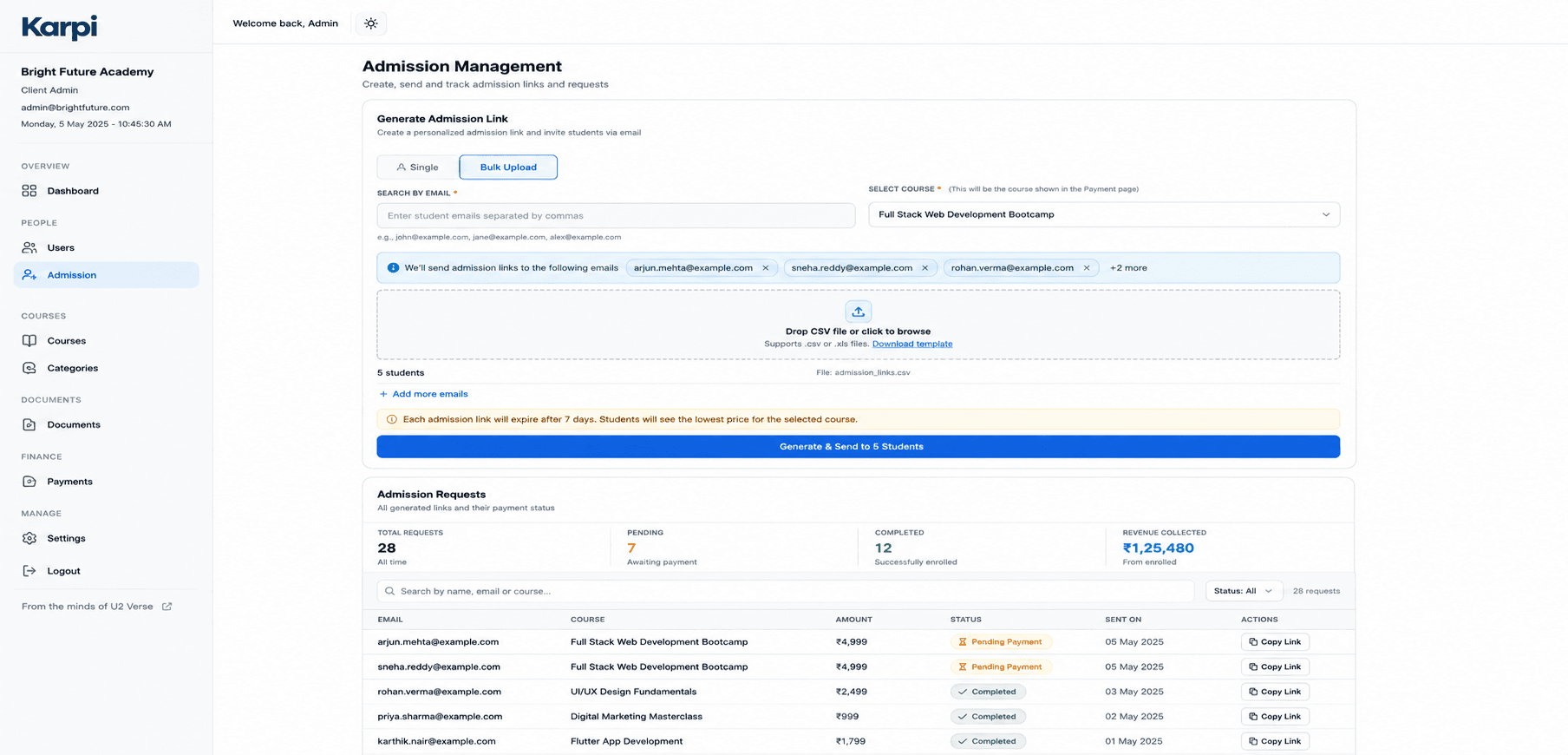
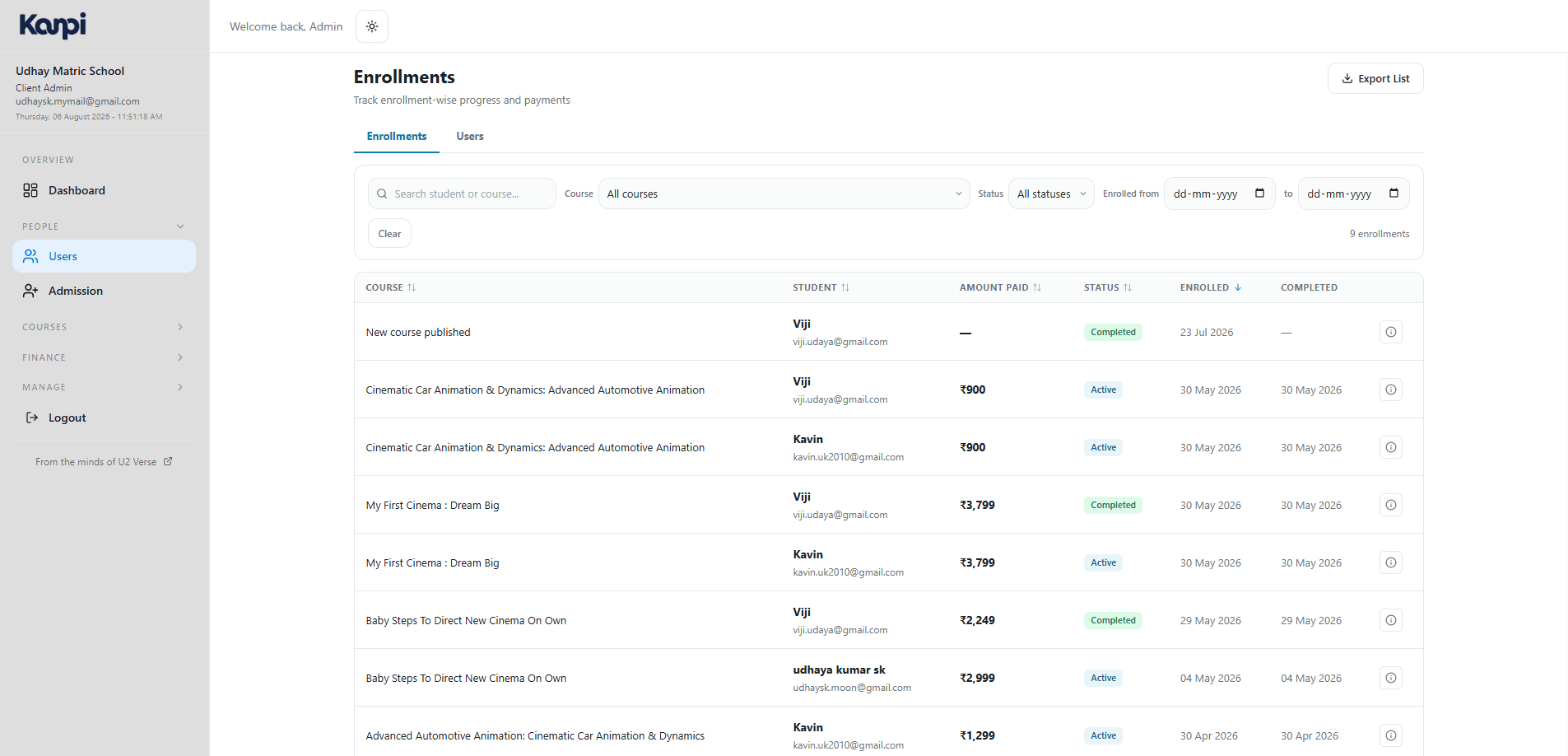
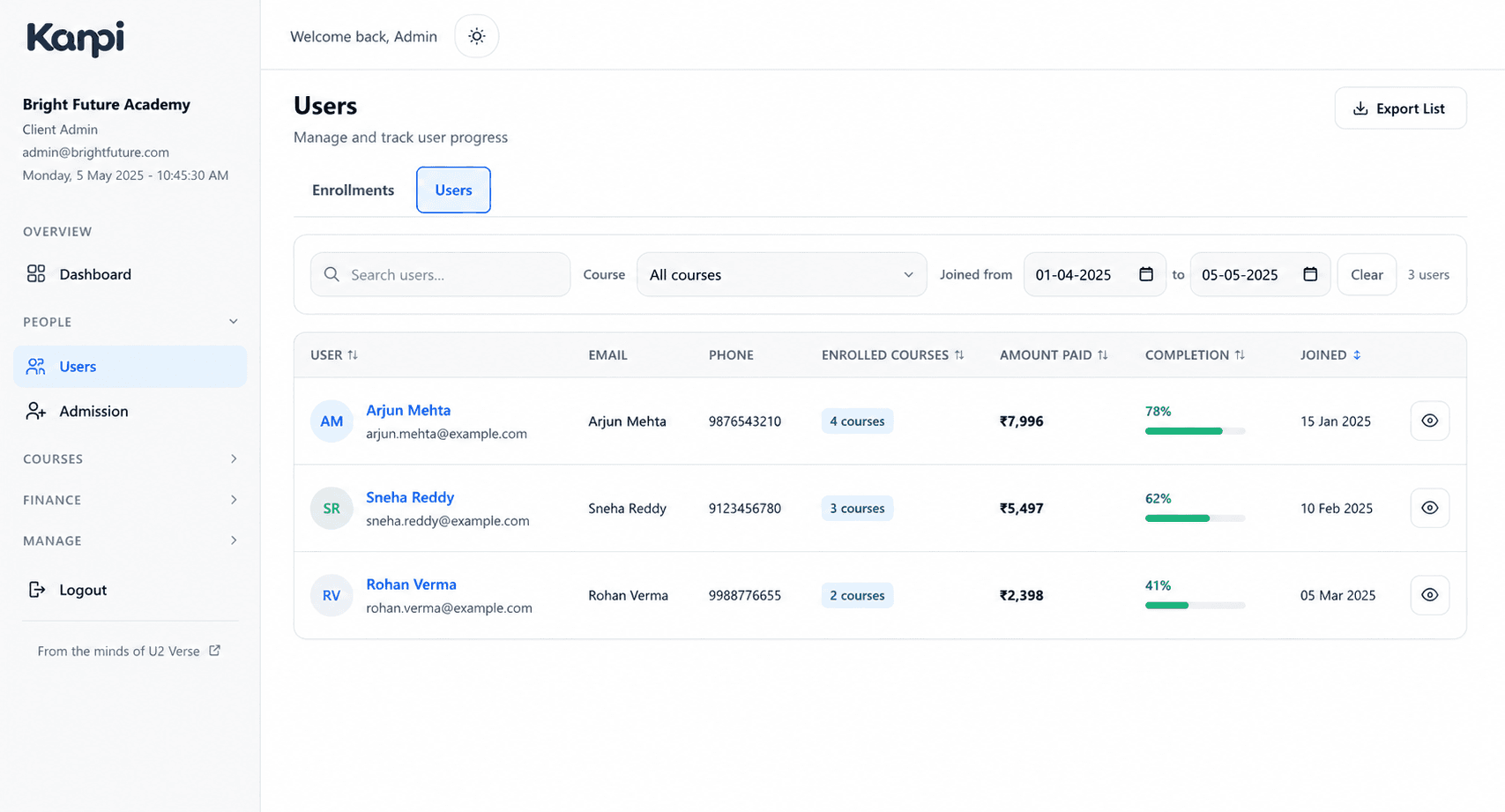
Admissions & student roster
Single and bulk admission links, plus enrollment and payment history per student.
White-label storefront
Logo, colors, testimonials and landing-page copy — genuinely editable without touching code.
Real-time chat inbox
Cohort and direct messaging with students, socket-backed, not polling.
Where the actual learning happens.
Video, chat, assignments, payments and progress — the browser experience students spend the most time in.
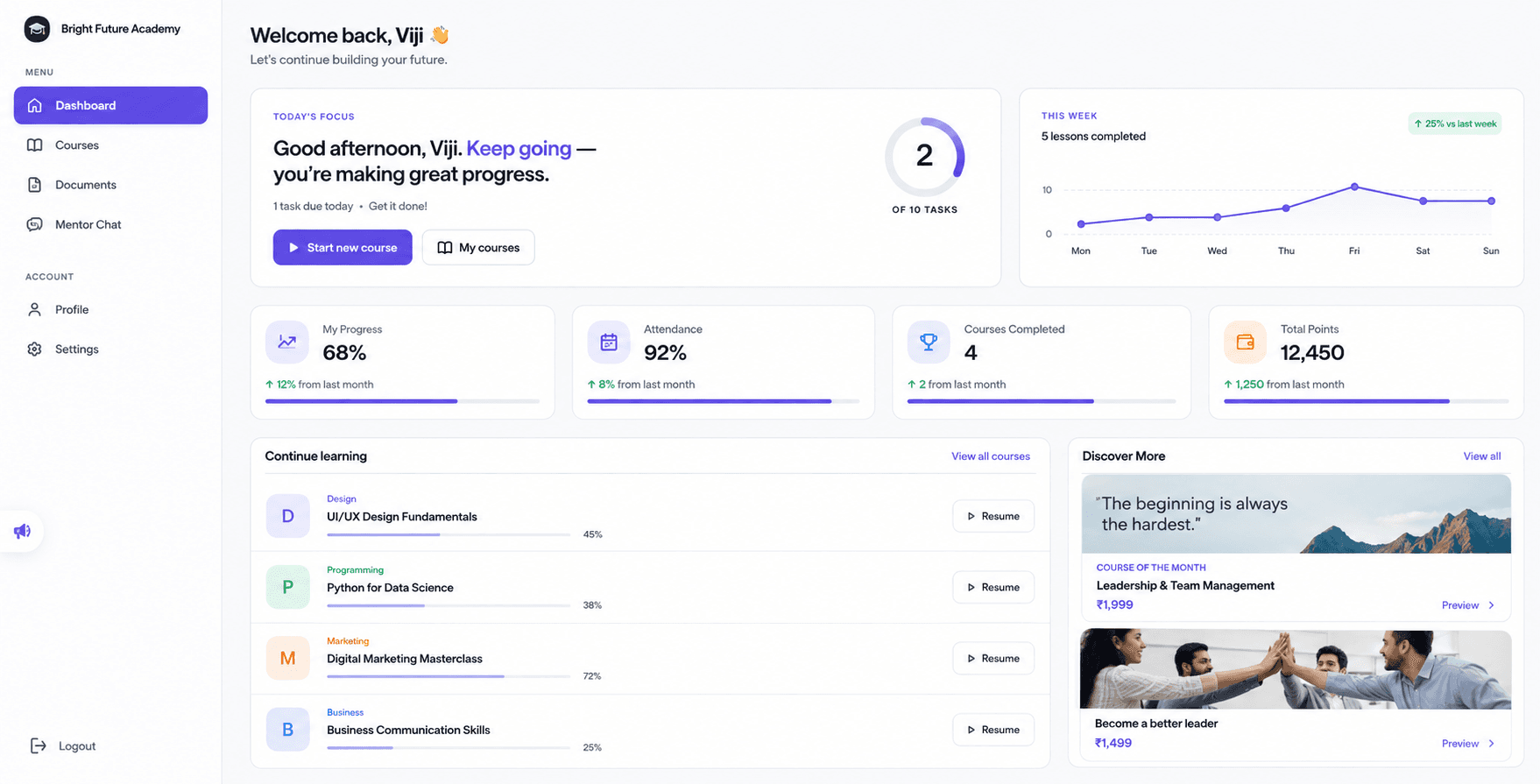
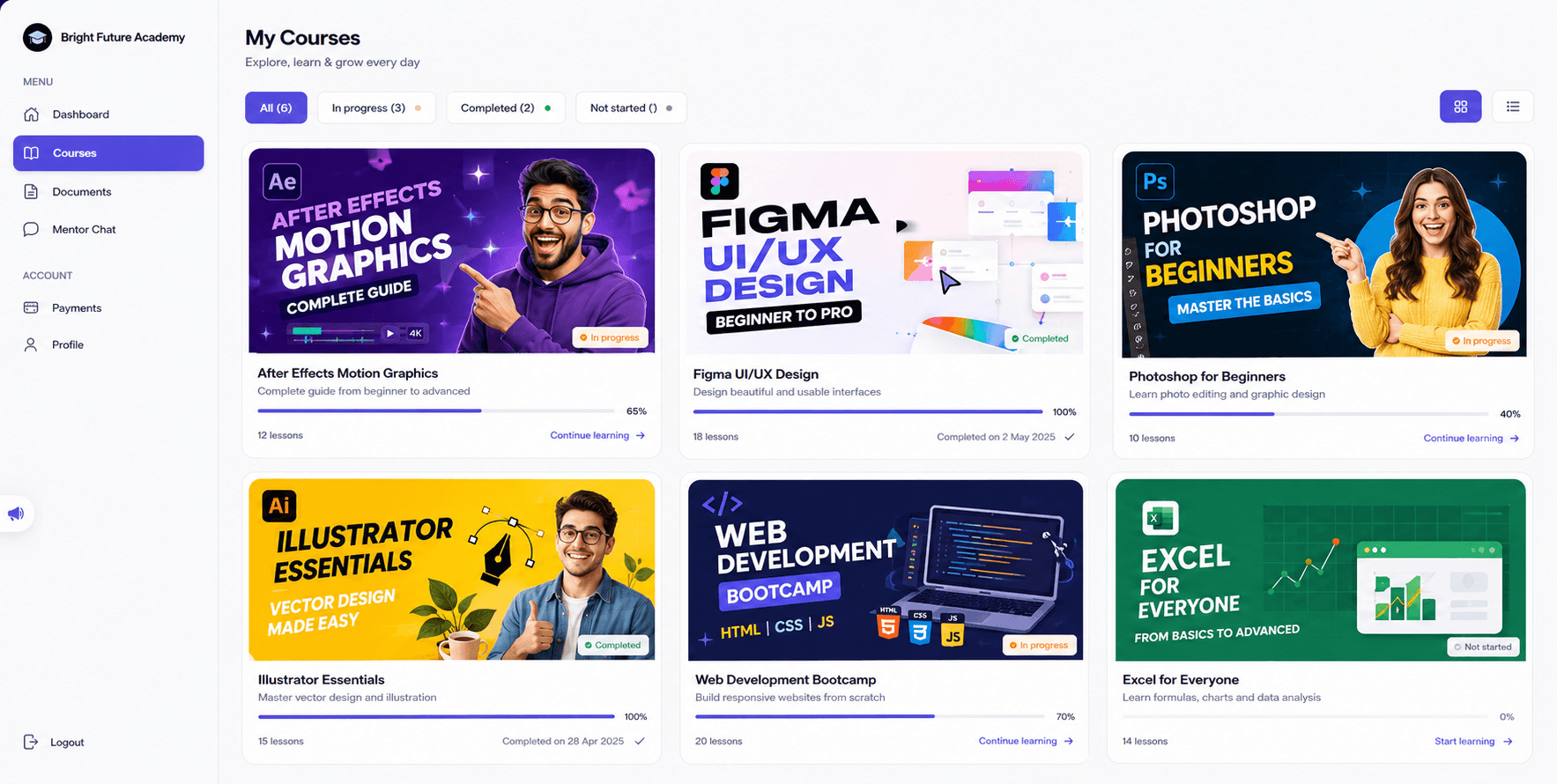
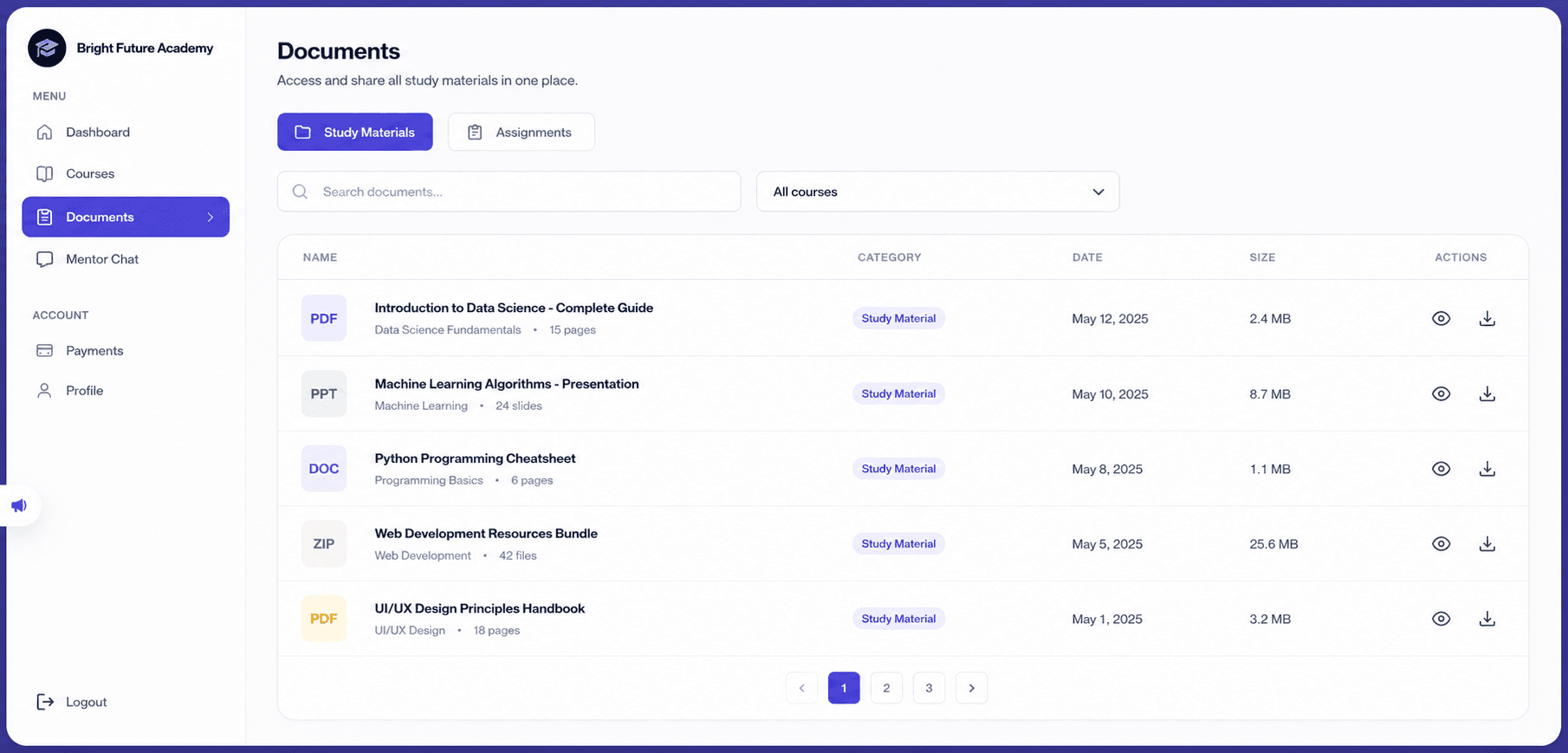
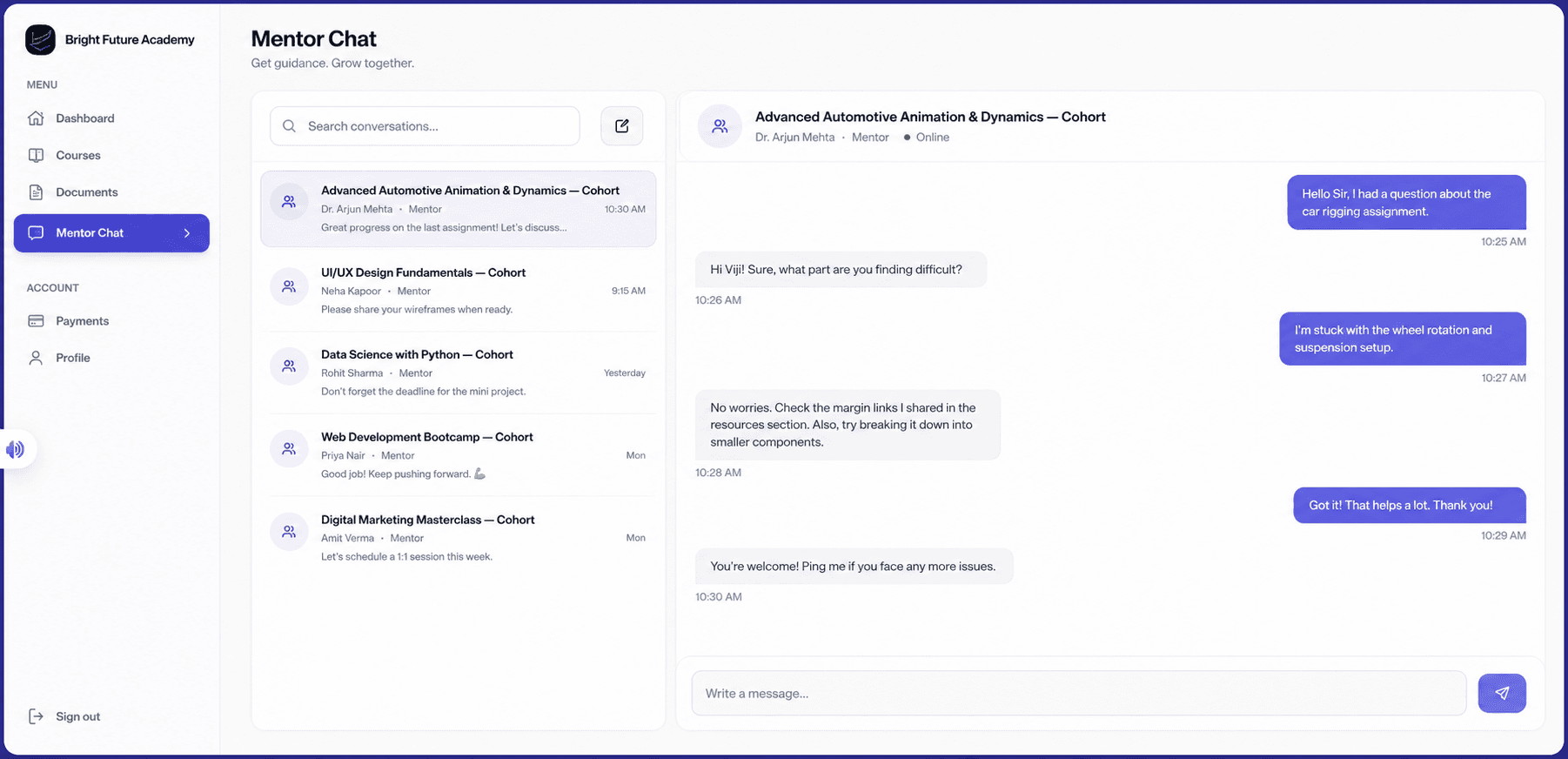
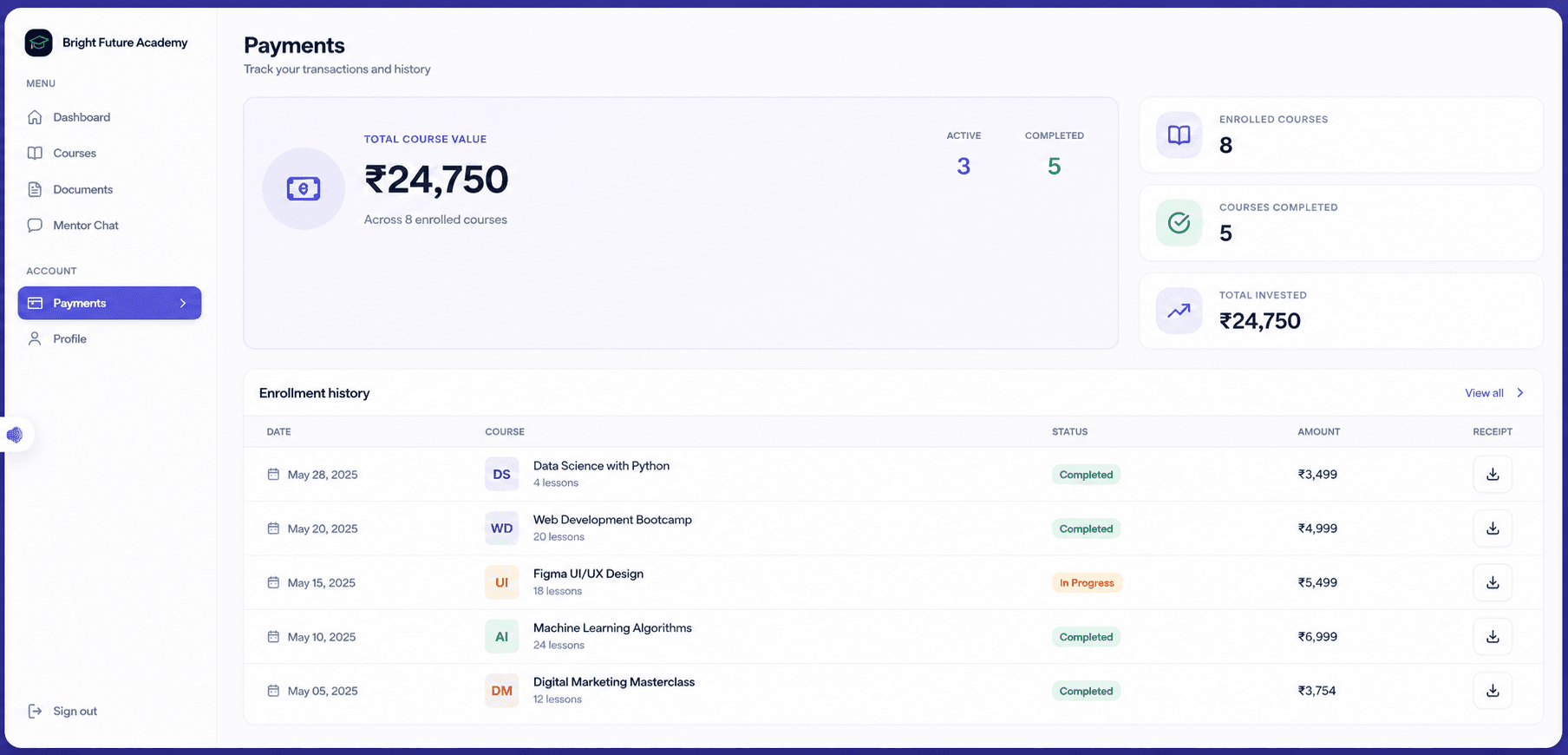
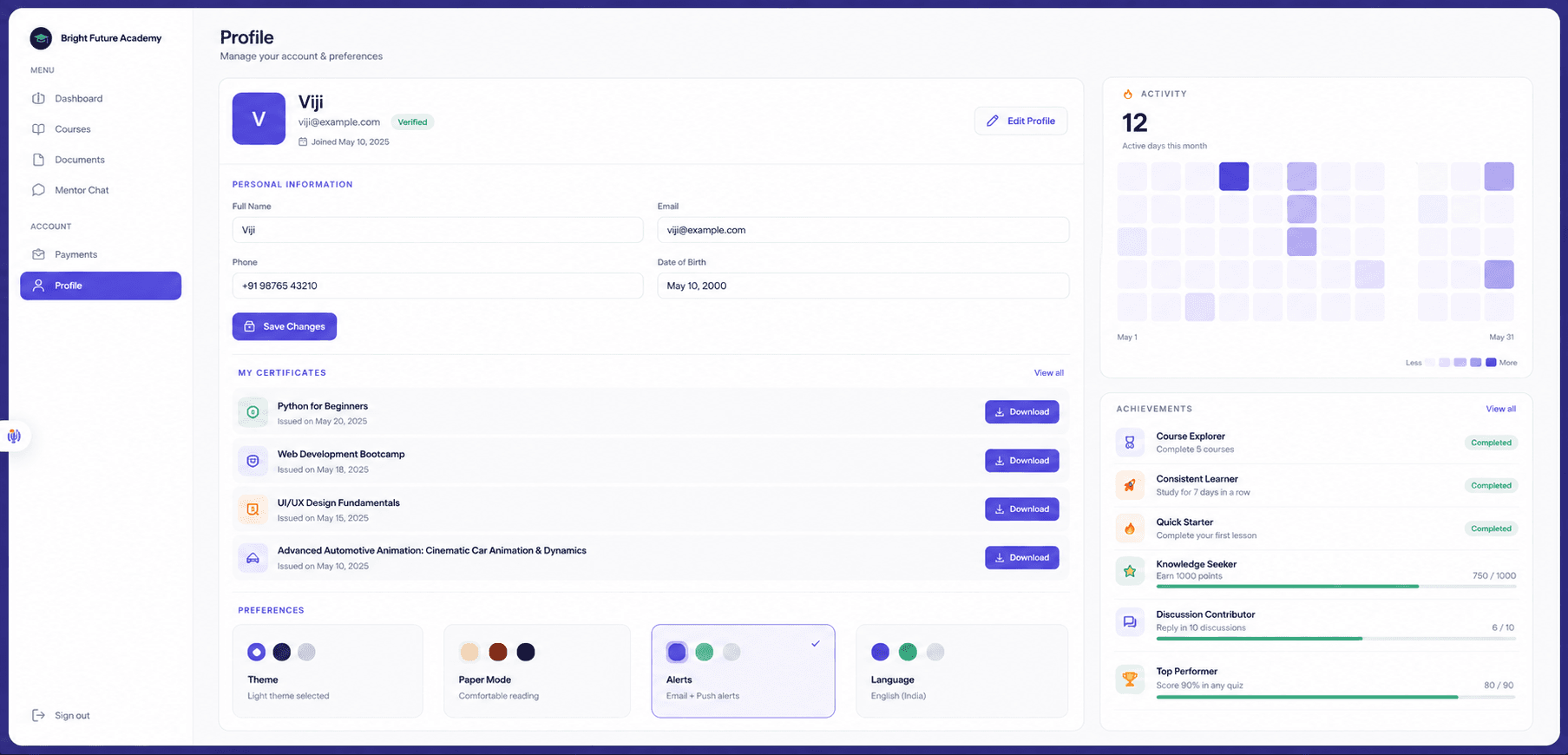
Video with resume & anti-piracy
Adjustable playback speed, resume-from-last-position, an on-screen watermark and screenshot deterrence.
Self-serve enrollment & payments
Free and Razorpay-paid enrollment, with full invoice and payment history.
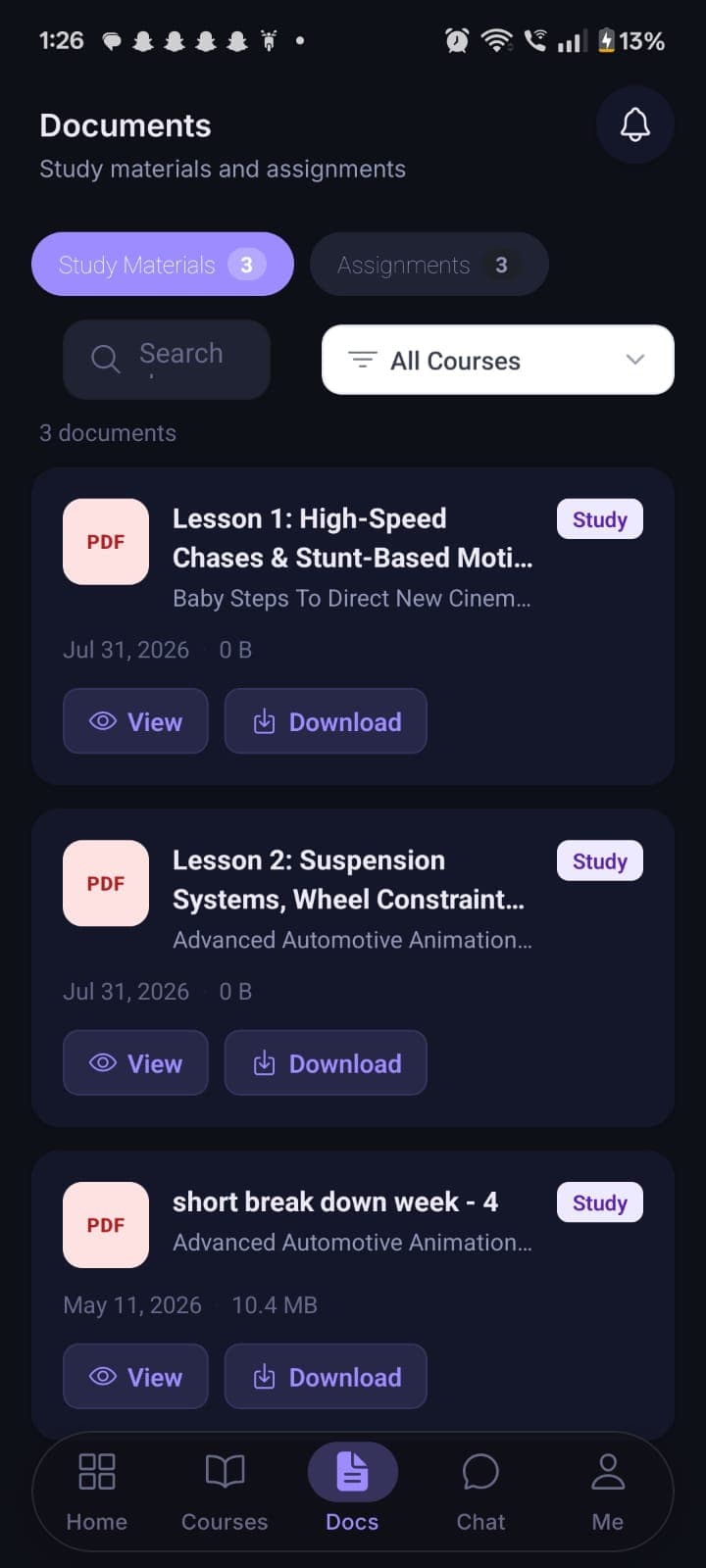
Documents & assignments
A study-materials library plus a real submit/resubmit workflow.
Streaks, achievements, certificates
A personalized dashboard with a learning streak and weekly activity view.
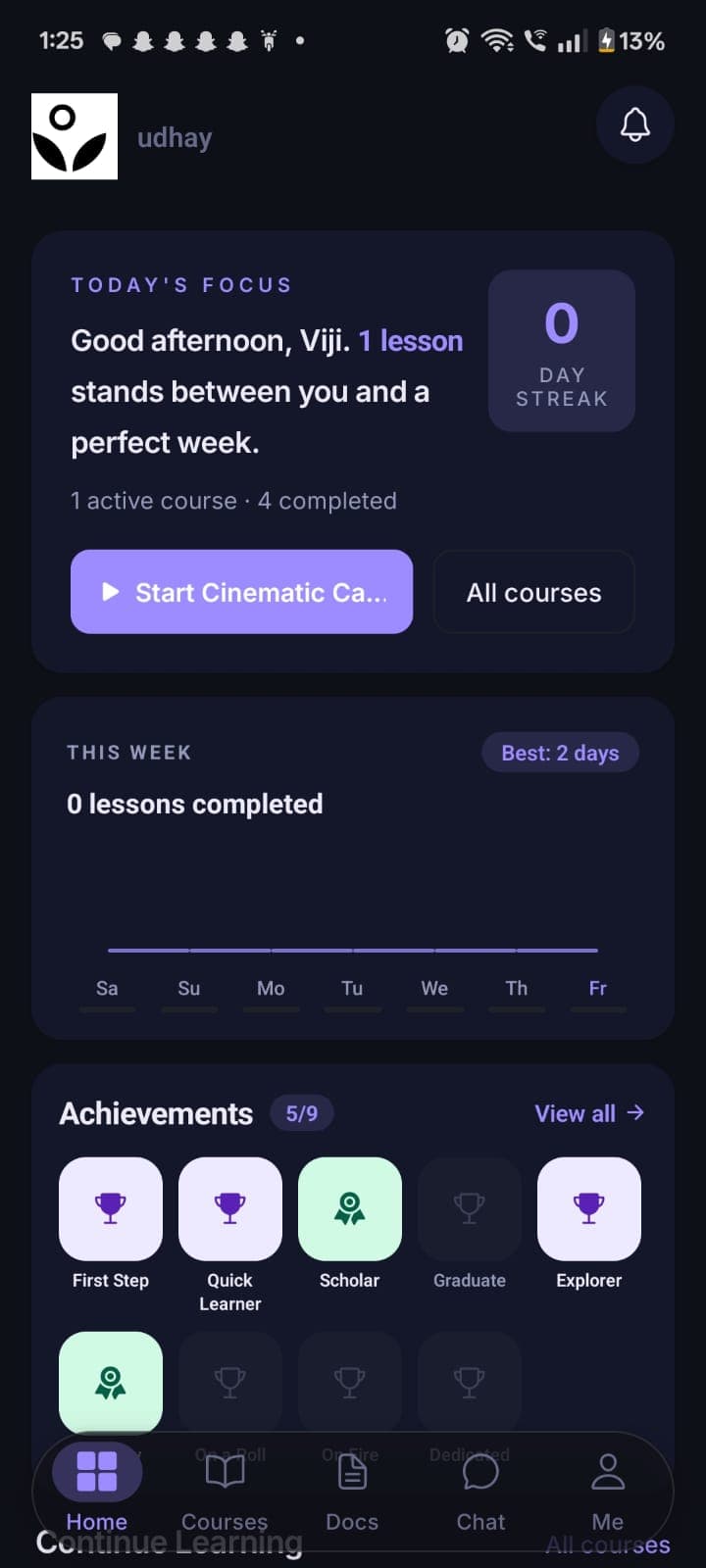
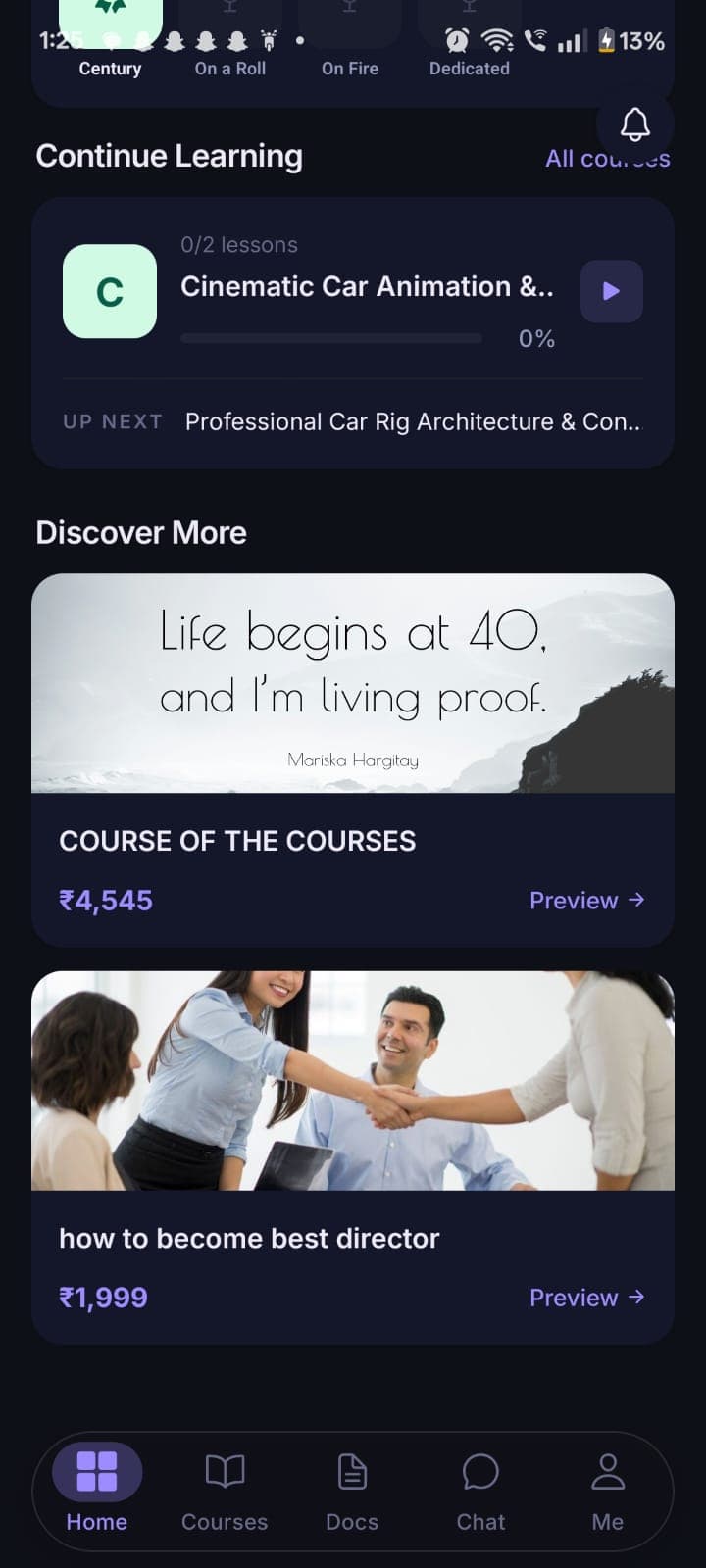
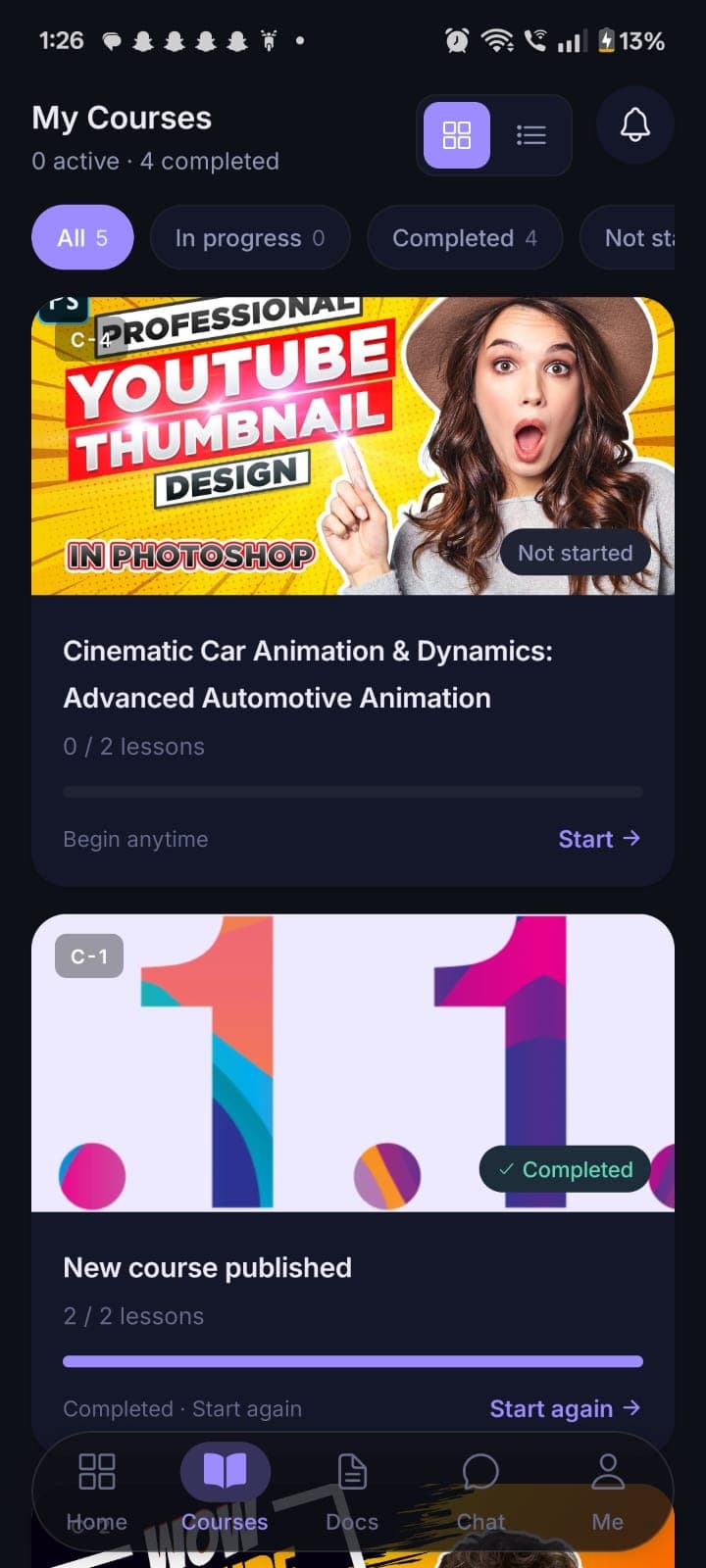
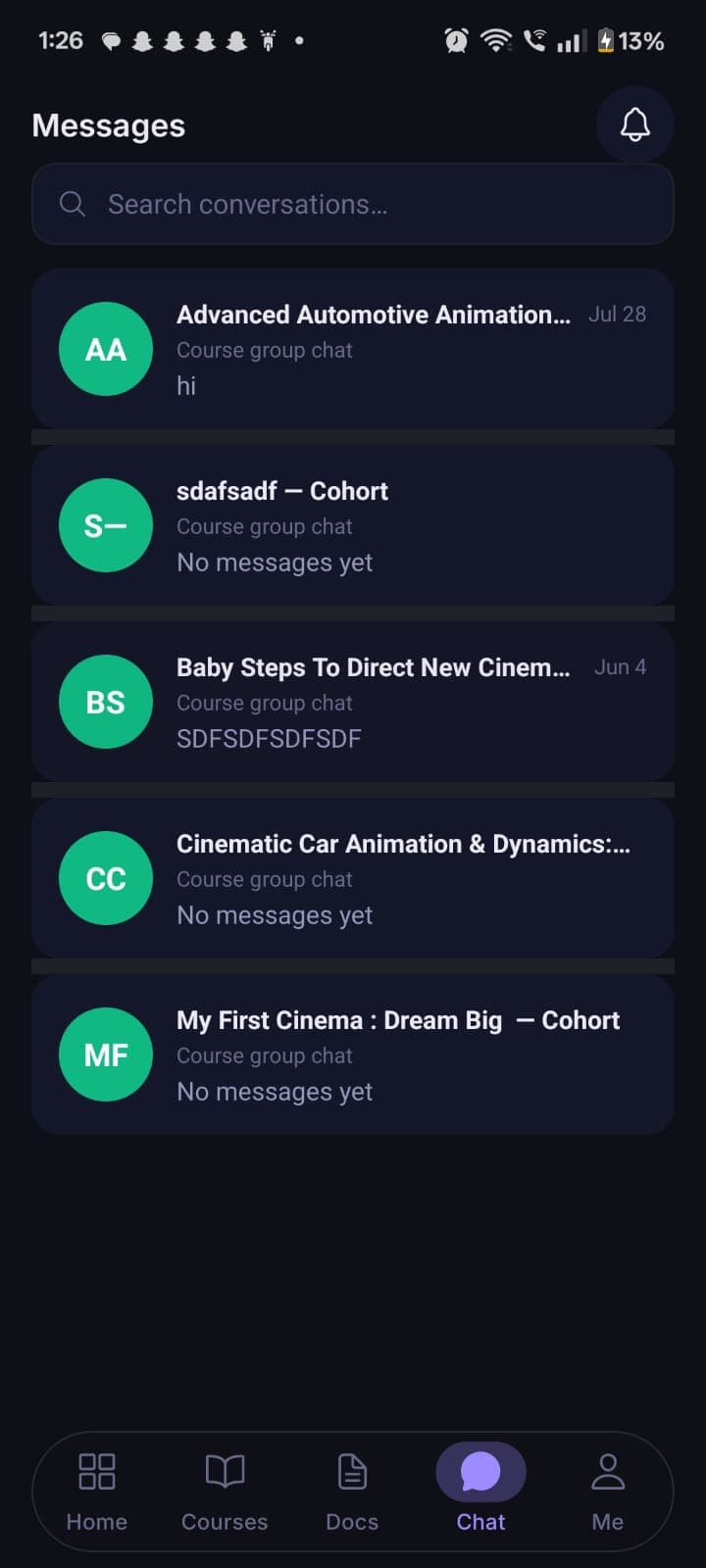
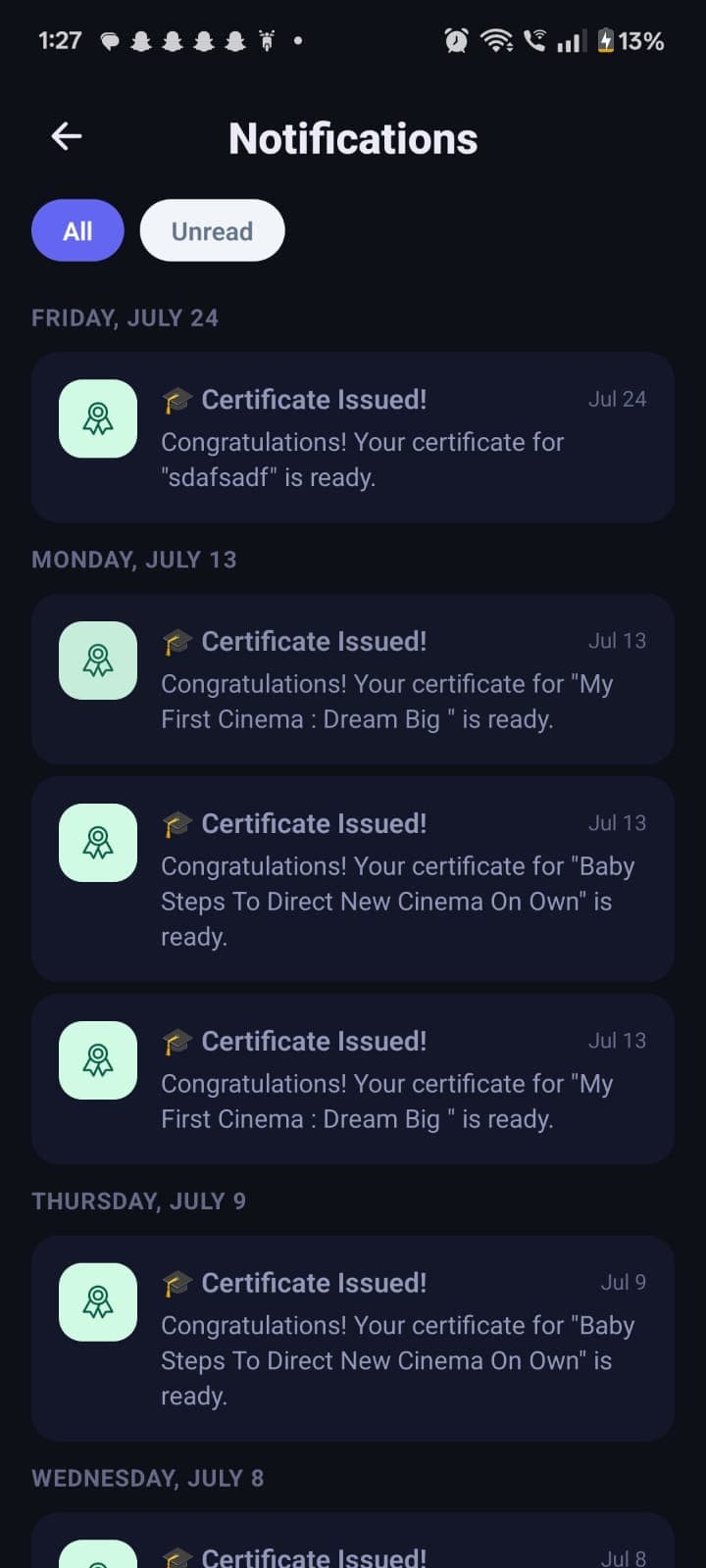
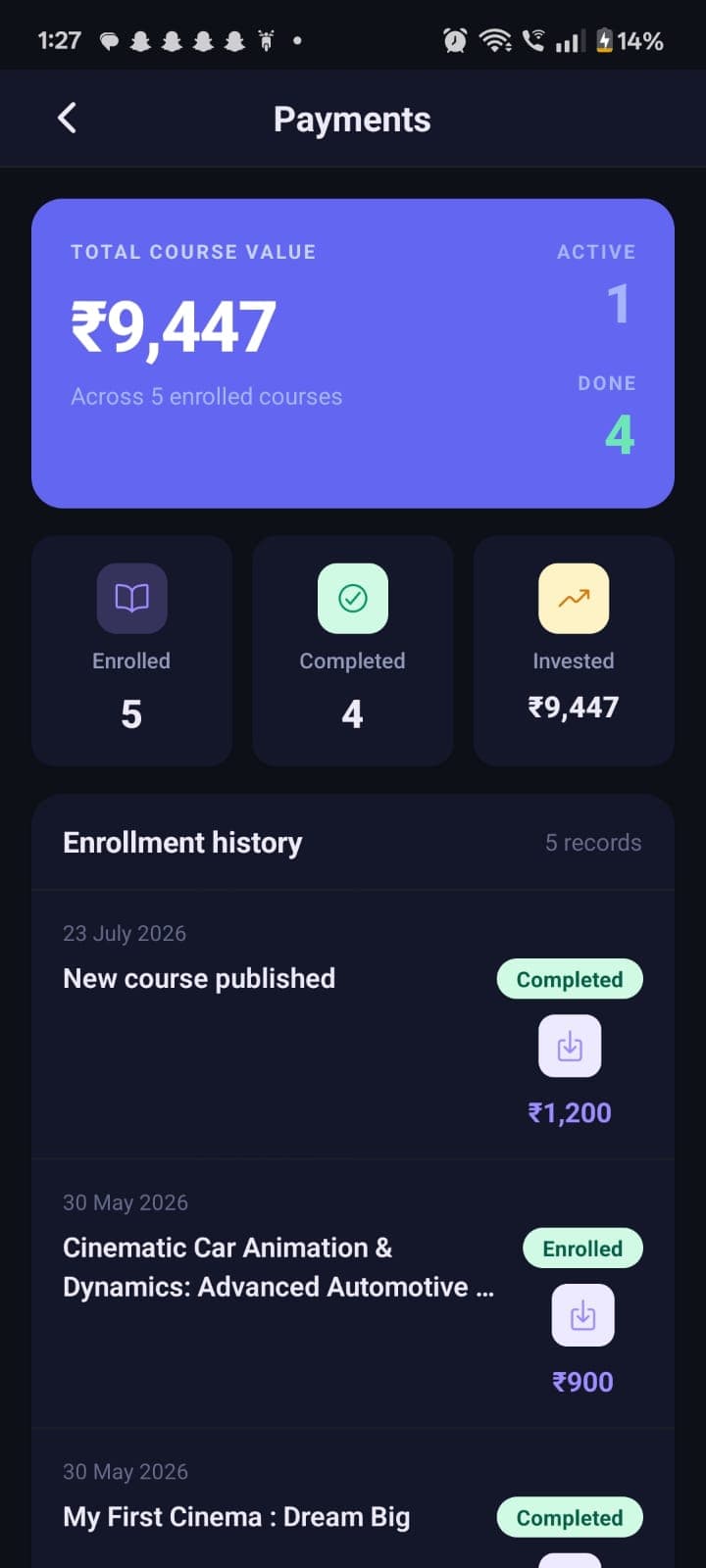
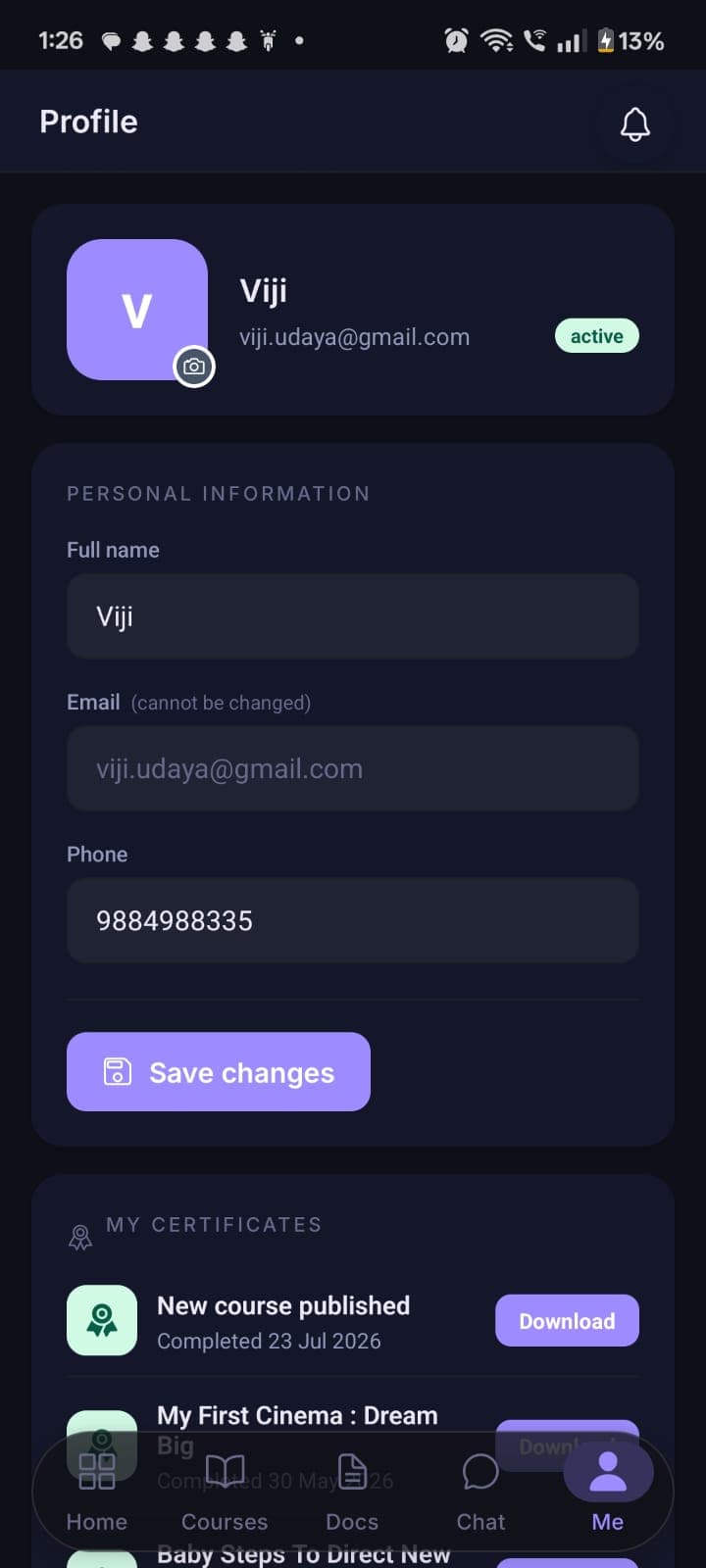
The same learning experience, natively.
Expo / React Native, iOS & Android — biometric login, on-device certificates, and genuine feature parity with the web app.
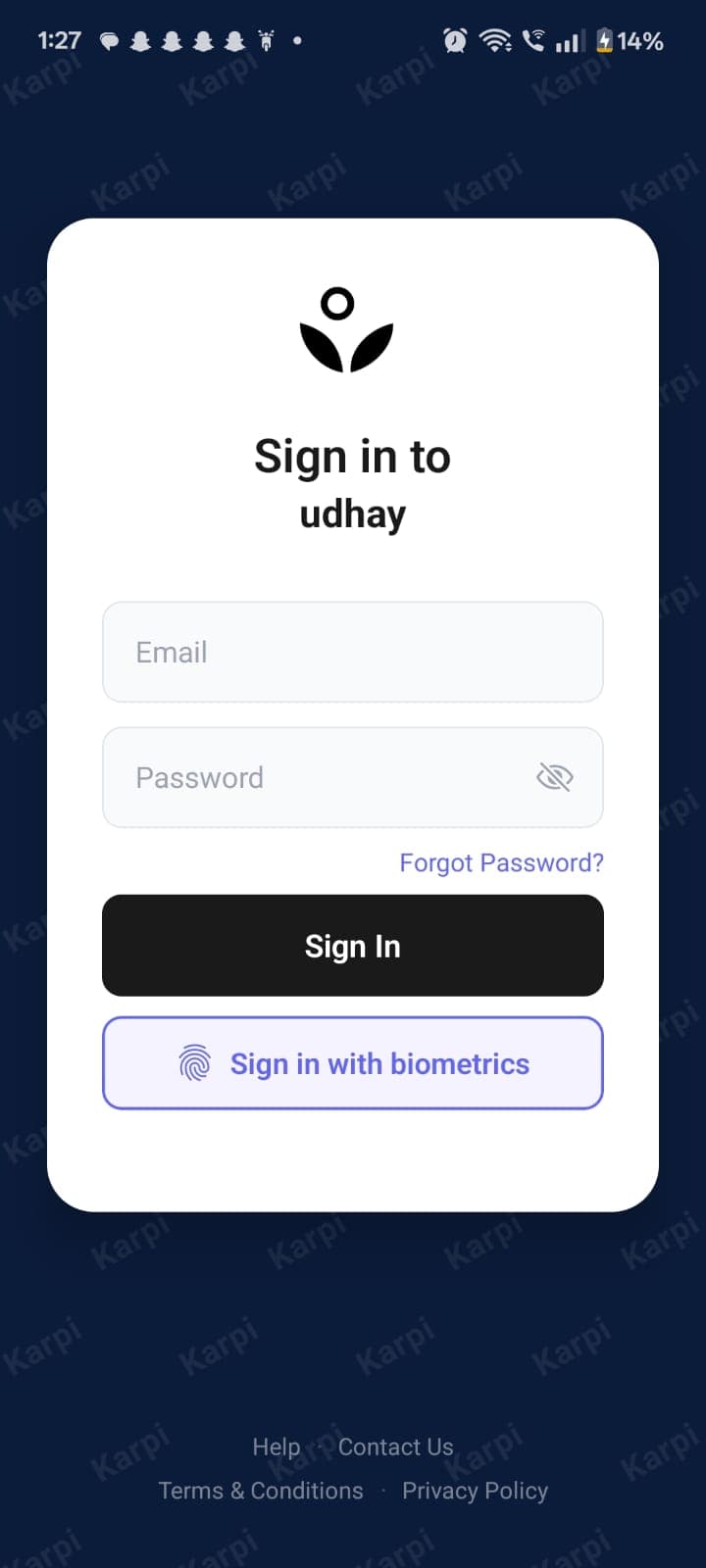
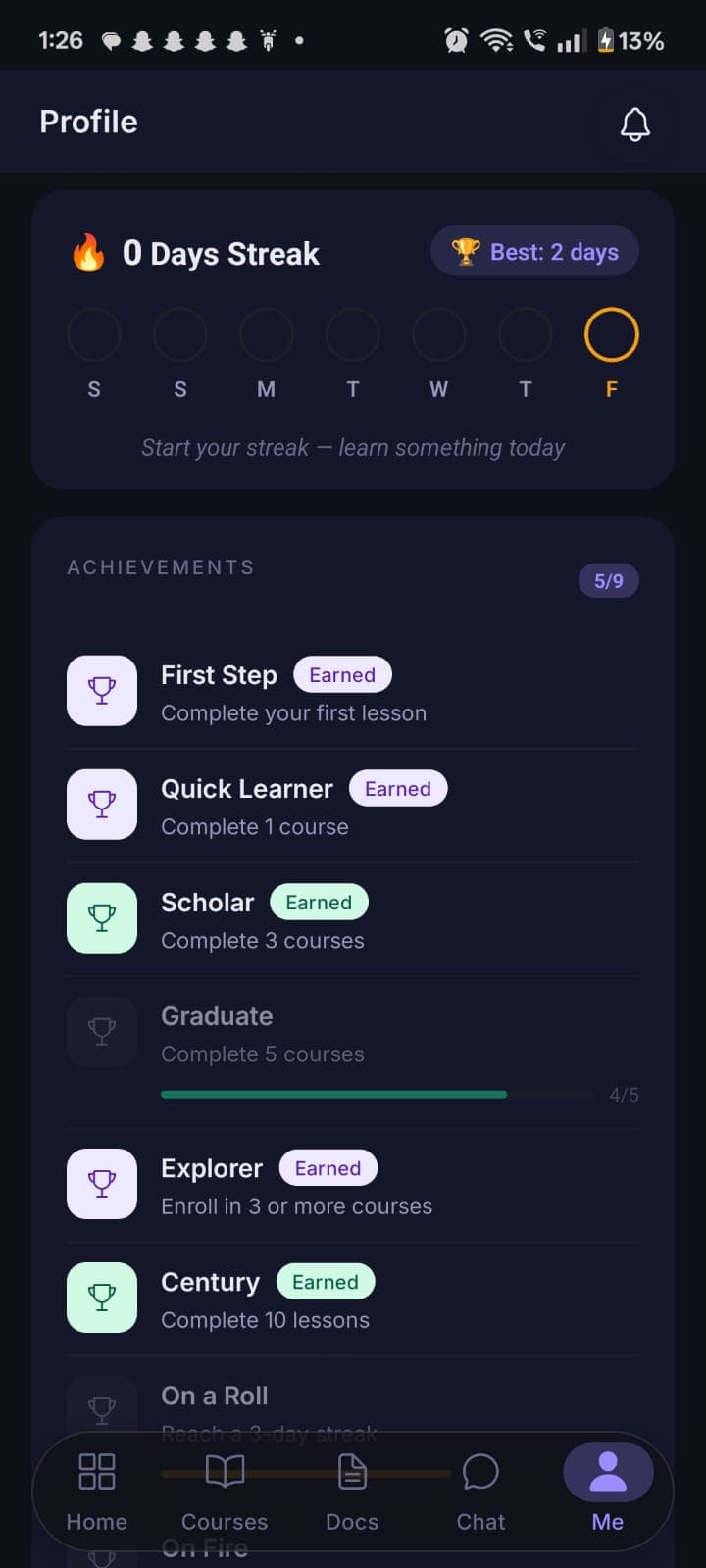
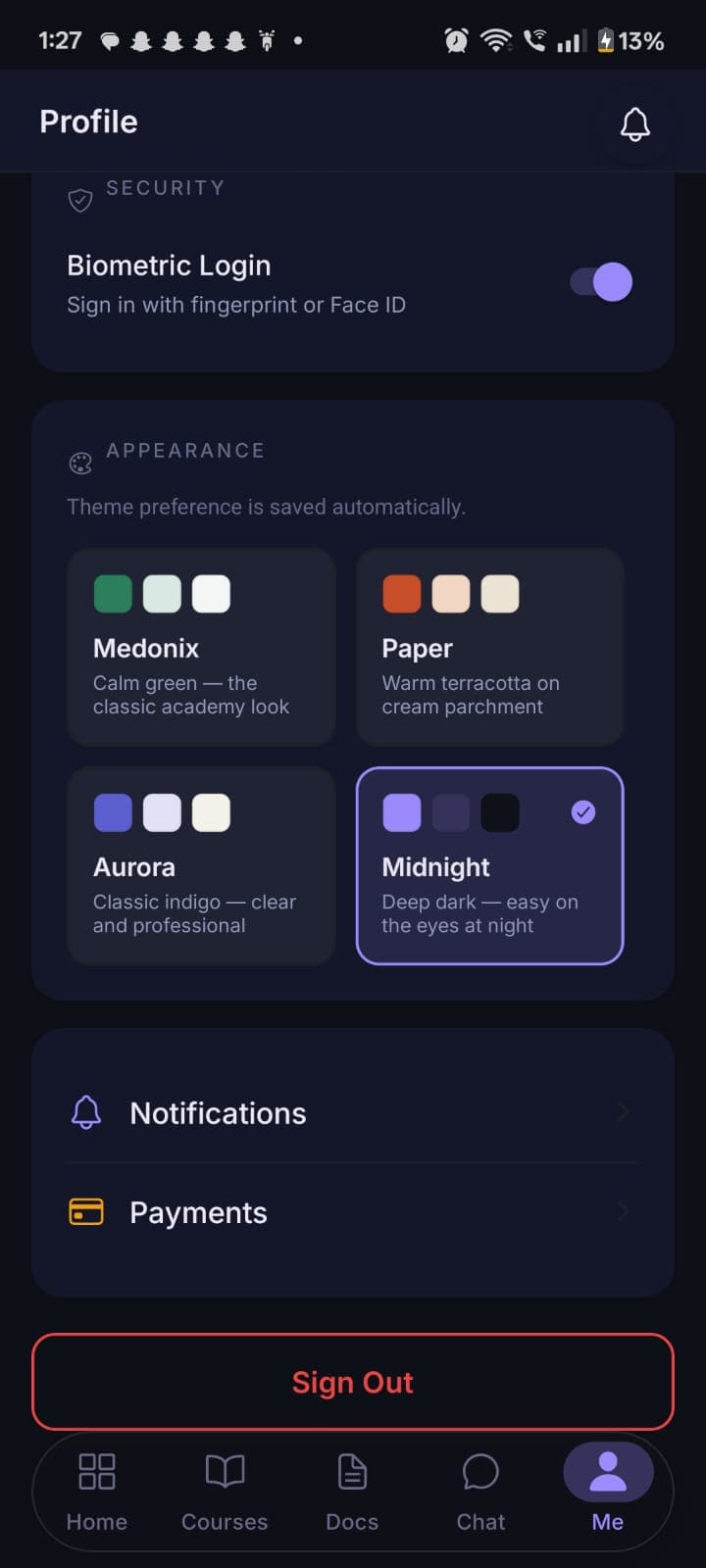
Biometric login
Face/fingerprint sign-in layered on top of a fully token-based session — no shared cookie jar.
On-device PDFs
Certificates and invoices generated natively on-device with no server round-trip.
Genuine feature parity
Chat, payments, video and documents — built independently for native mobile, not a wrapped web view.
Push notifications
Expo push delivery plus an in-app polling notification center.
The problems that were actually hard to solve.
Not a feature list — the specific engineering decisions behind them.
Multi-tenancy safe by construction
Tenant isolation is enforced by Postgres Row-Level Security itself, not application convention — a middleware resolves the caller's tenant from their JWT and pins it to the database session on every request.
Live storage migration, zero downtime
Moved video and file storage from AWS S3 to Bunny CDN behind a provider-abstraction interface, migrating asset type by asset type with a per-row provider marker — never blocking feature work on the migration's completion.
One API client, two session models
A single shared Axios client with an adapter interface serves web's cookie-based sessions and mobile's token-based sessions — one auth-recovery algorithm, written once, with zero platform branching in the shared code.
Anti-piracy video, built twice
Screen-recording detection on iOS, FLAG_SECURE on Android, and a moving on-screen watermark rendered independently in a web canvas overlay and a native mobile view — kept in sync with playback on both.
Refresh-token rotation, done properly
Every refresh call invalidates the token that was used and issues a new one, stored server-side only as a bcrypt hash — a compromised database dump doesn't hand out usable refresh tokens.
A well-modularized monolith, not a microservices fleet.
One backend, three Next.js frontends, one Expo mobile app — deliberately sized for the platform's actual scale.
Next.js 16
App RouterThree independent apps — Super Admin, Client Admin and Student Web — on the same App Router conventions.
React 19
React CompilerFunctional components with hooks throughout, across all three web frontends.
TypeScript
strictTyped end to end, including the shared API client both web and mobile consume.
Tailwind CSS + Radix UI
shadcn-styleA consistent, accessible component system across every admin and student surface.
@karpi/api
shared packageA hand-built typed Axios client shared by the web and mobile student apps — one HTTP layer, not two implementations.
Socket.IO client
real-time chatPowers cohort and 1:1 chat on Student Web and Client Admin.
Expo (React Native)
expo-routerFile-based routing, no bare RN CLI or manually configured navigation.
expo-video
HLS playbackNative adaptive video playback with resume position and playback-speed control.
expo-secure-store
token storageAccess and refresh tokens persisted securely on-device for a fully token-based session.
expo-local-authentication
biometricsBiometric sign-in layered over the standard login flow.
expo-print
on-device PDFCertificates and invoices rendered natively on-device.
NestJS
18 modulesOne well-modularized monolith — a single process, a single deploy — rather than a microservices fleet.
PostgreSQL + TypeORM
50 tables · 64 migrationsMigration-driven schema with Row-Level Security enforcing tenant isolation at the database layer itself.
Razorpay
orders + mandatesOne-time orders and recurring subscription mandates, webhook-verified.
Bunny Stream + Storage
video / CDNMigrated live from AWS S3 behind a provider-abstraction layer, with zero downtime.
WhatsApp Business API + AWS SES
messagingWhatsApp for enrollment invites, SES for transactional email.
Docker
multi-stage buildsEvery one of the four applications and the backend has its own multi-stage Dockerfile.
GitHub Actions
CI/CDBuild → dependency audit → container vulnerability scan → push → deploy, per repository.
AWS EC2 + Systems Manager
deploymentOne instance per application, deployed via scripted SSM commands — lean by design, sized for the platform's actual scale.
What actually shipped.
Every item below is real, working software — not a roadmap item described as if it already existed.
Real multi-tenant isolation
Not a convention — an enforced Postgres Row-Level Security policy, at the database layer.
Working payments & subscriptions
Razorpay one-time orders and recurring mandates, webhook-verified, with automatic lapse handling.
Custom video learning platform
Resumable uploads, adaptive streaming, resume position and anti-piracy deterrence, built for web and mobile.
Zero-downtime infra migration
AWS S3 to Bunny CDN, behind a provider-abstraction layer designed for exactly this transition.
Real-time chat
1:1 and cohort messaging over Socket.IO, with an HTTP-polling fallback on mobile.
White-label CMS
Every academy runs its own branded storefront, provisioned automatically the moment it's created.
Audit-logged admin permissions
Fine-grained, per-page permissions for my own back-office team, with a full audit trail.
Shared typed API client
Web and mobile share one HTTP layer and one set of endpoint definitions — no duplicated logic.
What changed, for the academy and for me.
The operational shifts the platform actually made — for every academy on it, and for how I run the business behind it.
An academy live in a day
A branded LMS — web and mobile — without the academy ever having to think about a server.
One back office, every tenant
I manage the entire academy fleet — health, billing, support — from a single platform dashboard.
Database-enforced isolation
Tenant data is walled off by Postgres itself, not by application code remembering to filter correctly.
True web/mobile parity
Resume position, chat, payments and certificates work the same way on both platforms.
Storage migrated live
Moved from AWS S3 to Bunny CDN asset type by asset type, with no downtime and no feature freeze.
Security as an ongoing discipline
I run my own architecture and security reviews on the platform proactively, catching and prioritizing gaps before they reach a customer.
One deployable backend
18 cleanly separated modules in a single process — faster to build and operate than a distributed system I'd have had to run myself.
Shipped end-to-end, solo
Product architecture, backend, four production frontends and the infrastructure that deploys them — all one person.
A closer look.
A highlight reel across the platform — each screen appears in full context earlier in this case study.
One engineer, four applications, one platform.
Karpi replaced the alternative every small coaching institute actually faces — cobbling together five vendors, or not going online at all — with one branded, ready-to-use LMS the academy can run from day one, while I operate the shared infrastructure, billing and platform operations centrally.
Every layer of this build — product architecture, the 50-table schema, the NestJS backend, four separate production frontends and the Docker/CI-CD/AWS infrastructure that deploys them — was designed and built by me, end to end, including the tenant-isolation model I'm proudest of: Postgres itself enforcing that one academy can never see another's data.
The platform is live, processing real payments, and still growing — I run my own architecture and security reviews as it does, treating hardening as an ongoing discipline rather than a one-time checkbox.